


Lido extracts line items from vendor statements and compares them against your AP ledger. Missing invoices, duplicates, and mismatches are flagged before payment.
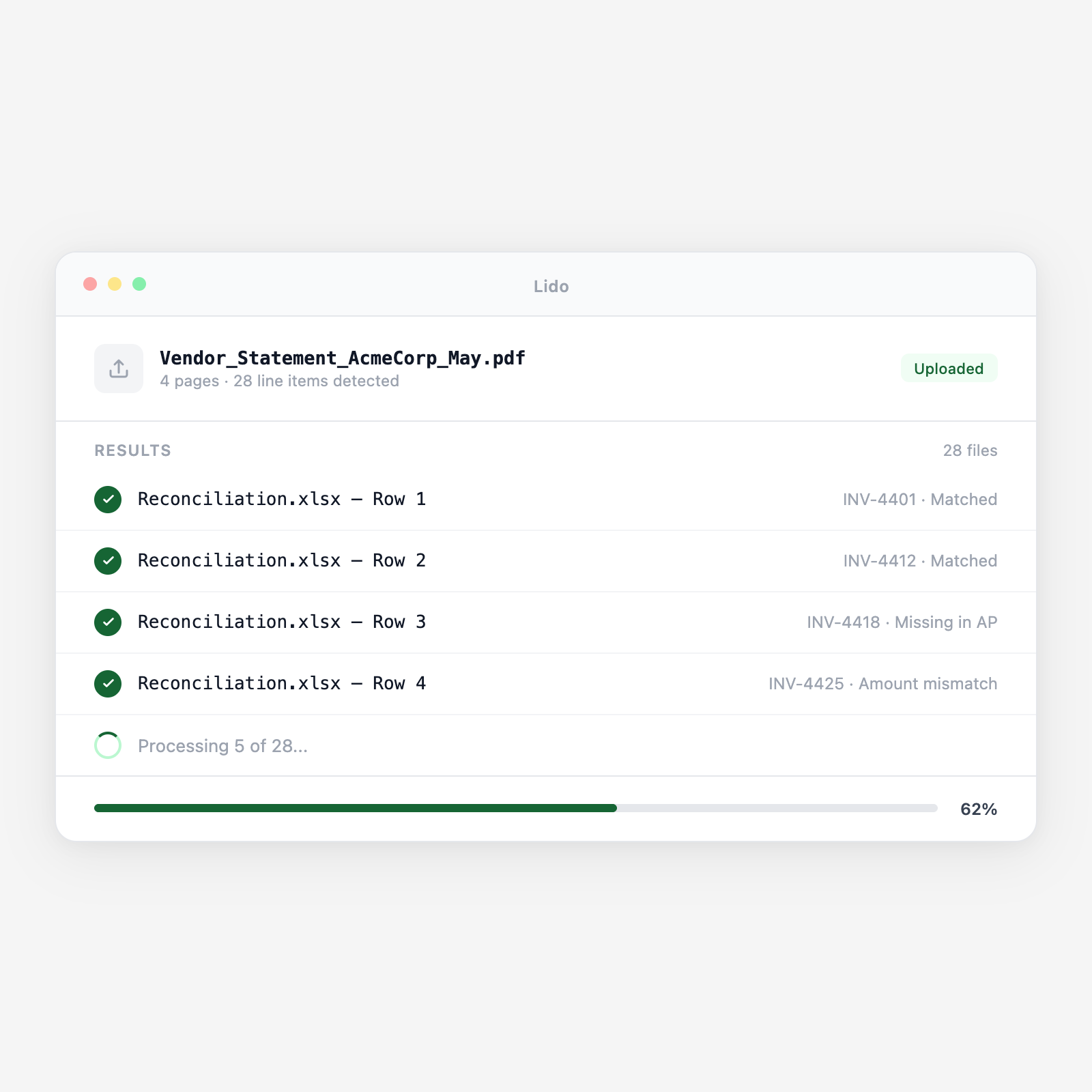






Automated reconciliation runs every month without anyone scheduling time for it.
Vendor account statements arrive as PDFs by email, portal, or EDI. Lido extracts every line item: invoice number, date, amount, payments applied, credits, and balance due.
Lido pulls your AP ledger via export or API. Each statement line item is matched against your ledger by invoice number, amount, and payment date. Mismatches are flagged side by side.
Each discrepancy is typed: invoice on statement but not in ledger, invoice in ledger but not on statement, amount mismatch, payment not acknowledged, or duplicate payment risk.
Vendor credit balances from returns, overpayments, or discounts are flagged. Unapplied credits your ledger doesn't reflect mean you're overpaying. Each comes with the statement reference.
Output is a reconciliation workbook: one row per line item with statement amount, ledger amount, match status, and discrepancy type. Ready for AP review and month-end close.
Upload a batch and get structured output in minutes.
Monthly supplier statements listing open invoices, payments, credits, and account balance. Any vendor format.
Electric, gas, water, and telecom bills showing charges, prior balance, payments received, and current balance.
Vendor aging summaries by age bucket (current, 30, 60, 90+ days). Identifies invoices aged in vendor systems but not received.
Corporate card statements with transactions, merchants, amounts, and dates. Reconciled against expense submissions and GL coding.
Related-entity statements for intercompany services and cost allocations. Reconciled against counterparty receivables.
Statements from factoring companies or banks holding vendor receivables. Reconciled against factor payment records.
| Feature | Lido | Manual process |
|---|---|---|
| Extract statement line items from any vendor format automatically | ✓ | ✗ |
| Compare each line against AP ledger records automatically | ✓ | ✗ |
| Classify discrepancy type (missing, duplicate, mismatch) | ✓ | ✗ |
| Flag unapplied vendor credits before the next payment run | ✓ | ✗ |
| Produce audit-ready reconciliation workbook per vendor | ✓ | ✗ |
| Open the statement and match each line yourself | ✗ | ✓ |
Run it every month automatically and catch duplicate payments and missing invoices before they become audit findings.
A mid-size manufacturer pays 30 active suppliers on net-30 terms. Statements arrive in the first week of each month. Lido reconciles all 30 statements before the payment run, catching two duplicate payment risks and a $4,200 unapplied credit in February alone.
A distributor pays 15 carriers weekly. Carrier statements are reconciled against the rate confirmations and freight invoices processed that week. Duplicate billings for the same load, a common carrier billing error, are flagged before payment is released.
A firm with 40+ SaaS subscriptions reconciles vendor statements quarterly. Lido identifies subscriptions billed at the wrong tier, seats billed for terminated employees, and credits from cancelled licenses not reflected in the AP ledger.
A holding company with shared vendors across subsidiaries reconciles vendor statements at the consolidated level. Lido compares the vendor's total balance against the sum of AP ledger balances across all entities, flagging discrepancies that are hidden when each entity reconciles independently.
%20(1).svg)
