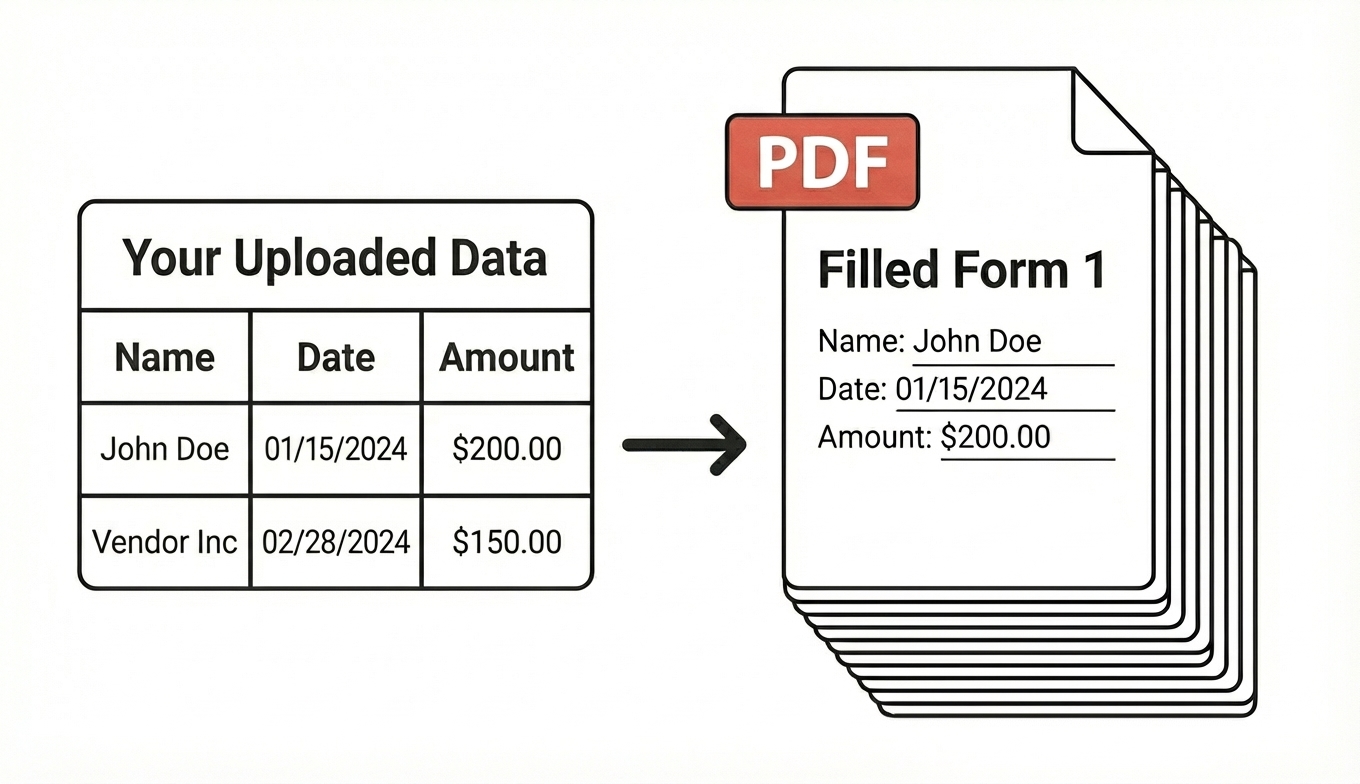
Fill intake forms, applications, agreements, and any PDF form with perfect accuracy
Complete 100+ forms in minutes, not hours
Automate the paperwork with AI to grow your business faster, the smart way
Lido doesn't work on mobile yet, but we'll send you an email with your login details for when you're back at a desktop!
Oops! Something went wrong while submitting the form.
👋 Let's personalize your experience!
Oops! Something went wrong while submitting the form.
No credit card required
50 free pages
Trusted by thousands of finance and operations teams
Why tech-forward teams choose Lido
Stop filling out the same form 100 times. Let AI do the busywork.
Reclaim employee hours
Manually filling large volumes of PDFs can take hundreds of hours per month. Our AI maps fields automatically, fills forms in bulk, and packages them for download. Turn days of work into minutes.
Eliminate human error related costs
Human data-entry errors lead to compliance risk, rework, and delays. AI ensures consistent, accurate field population across every document.
Scale without adding headcount
Whether you're filling 500 forms a week or 50,000, Lido's system scales instantly. No additional staffing or contractor costs required.
How it works
Upload your forms and data. Download perfectly filled forms in minutes.
Step 1:
Upload your form
Upload any PDF form (fillable or flat). Lido uses AI to detect form fields and maps your data automatically.
Step 2:
Upload your data
Upload your data as a spreadsheet or as existing documents. We’ll pull the right information automatically.
Step 3:
Generate filled forms
Our AI instantly connects your data to the right form fields. You'll get accurately filled forms in bulk in seconds.
Security
Enterprise grade security and compliance
SOC 2 Type 2
HIPAA
Encryption
Information safeguarded with AES-256 encryption, both at rest and during transmission.
No training on your data
Your data remains untouched for AI training, backed by comprehensive data processing agreements.
Frequently asked questions
What is an AI PDF form filler?
An AI PDF form filler automatically detects fields in any PDF — fillable or flat — and populates them with data from a spreadsheet or source document. Unlike manual form
filling, AI maps your data to the correct fields without templates, handling 100+ forms in minutes. Lido's AI PDF form filler works with intake forms, applications, agreements,
customs documents, and any other PDF form type.
Can I fill PDF forms from an Excel spreadsheet?
Yes. Upload your PDF form and an Excel or CSV file containing your data. The AI maps each spreadsheet column to the corresponding PDF field — names, addresses, dates,
amounts, reference numbers — and fills every form in bulk. Lido supports Excel (.xlsx), CSV, and Google Sheets as data sources for PDF form filling.
Can I fill flat (non-fillable) PDFs?
Yes. Most AI form fillers only work with PDFs that have pre-defined fillable fields. Lido detects field locations on flat PDFs — scanned forms, image-based documents, and
PDFs without interactive fields — and fills them as accurately as fillable forms. No need to convert or recreate the PDF first.
How does AI PDF form filling work with document extraction?
Many workflows require extracting data from one document and filling it into another — for example, extracting invoice data and filling a payment authorization form, or
extracting bill of lading details and filling customs declarations. Lido handles both extraction and filling in one platform, so extracted data flows directly into form fields without
manual re-entry.
How many PDF forms can I fill at once?
Lido processes forms in bulk — from 50 to over 50,000 forms per month depending on your plan. Upload your data once and generate all filled forms in a single batch. Plans
start at $75/month for 50 forms, scaling to custom pricing for high-volume operations above 1,000 forms per month.
Is my data secure when using an AI PDF form filler?
Lido is SOC 2 Type 2 certified and HIPAA compliant. All data is encrypted with AES-256 both at rest and in transit. Lido does not train on your data, and data processing
agreements are available for enterprise customers. This makes it suitable for healthcare, financial, legal, and government form filling.
Ready to grow your business with document automation, not headcount?
Join hundreds of teams growing faster by automating the busywork with Lido.
Lido doesn't work on mobile yet, but we'll send you an email with your login details for when you're back at a desktop!
Oops! Something went wrong while submitting the form.