<- View all workflow automations

Credit notes and debit memos — extracted, matched, and netted automatically

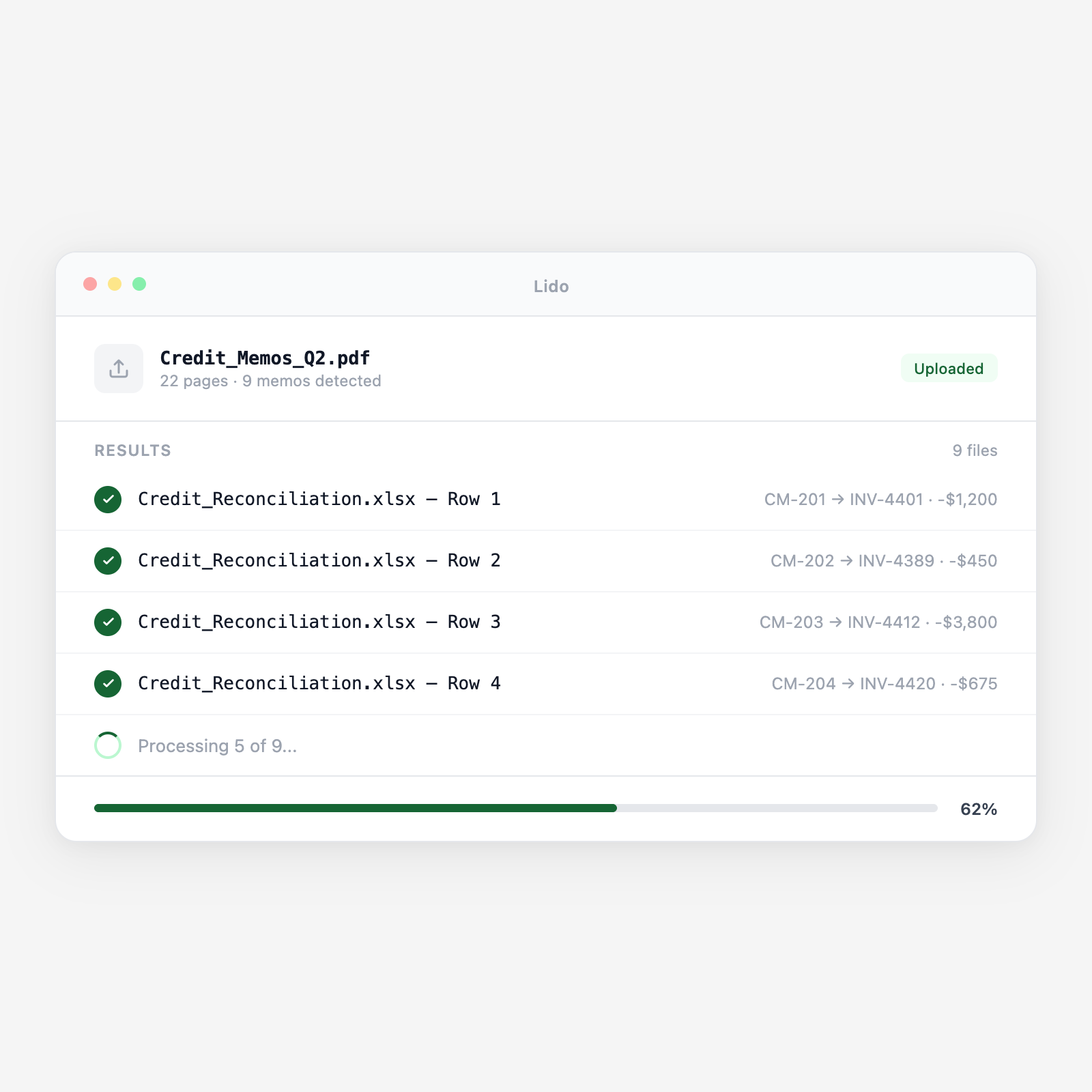
Lido extracts credit memo and debit memo data, amounts, reference numbers, original invoice numbers, and reason codes, then matches each adjustment to the original invoice in your AP ledger. The output is a net adjustment spreadsheet ready for your month-end reconciliation, with no manual cross-referencing required.

  • Extract from any credit memo format. Vendor credit notes come in dozens of layouts. Lido reads the reference numbers, credited amounts, and adjustment reasons from any vendor's format without templates or per-vendor configuration.
  • Match to original invoices automatically. Lido links each credit note to the original invoice using extracted reference numbers and fuzzy vendor matching. Mismatched or unlinked credits are flagged, not silently dropped.
  • Net adjustment output ready for reconciliation. The result is a structured spreadsheet showing gross invoice amounts, credit adjustments, and net payable per vendor, ready for your payment run or month-end close.
Trusted by thousands of finance and operations teams

How credit memo extraction and matching works in Lido

Credit memos and debit memos are adjustments to amounts your AP team already has in flight. When they arrive out of sync with the original invoice, they create reconciliation headaches. Lido processes them in the same pipeline as invoices so adjustments are always matched and netted.

1. Credit memos and debit memos arrive alongside invoices

Vendors issue credit notes for returned goods, billing errors, early payment discounts, and contract adjustments. They arrive by email as PDFs, through the same channels as invoices. Lido classifies each document as a credit note or debit memo based on content and processes it through the appropriate extraction schema.

2. Lido extracts structured fields from each adjustment document

From each credit memo: vendor name, credit memo number, date, original invoice number being credited, line items credited (item description, quantity returned, unit price, extended amount), total credit amount, reason code (return, price adjustment, duplicate payment, discount), and any reference notes. Same structured extraction regardless of vendor format.

3. Each credit memo is matched to the original invoice

Lido looks up the original invoice number in your AP ledger or extracted invoice register and links the credit memo to it. If the reference number in the credit memo matches exactly, the link is automatic. If the reference uses a slightly different format — "INV-2026-0441" vs "Invoice #0441", fuzzy matching resolves the link.

4. Unmatched credits are flagged for review

A credit memo that references an invoice number not in your ledger is flagged as unmatched. Your AP team sees the credit memo content and can manually link it, request clarification from the vendor, or flag it as a credit against a future invoice. Nothing falls through the cracks.

5. Net adjustment spreadsheet produced for payment run

The output is a structured spreadsheet showing each vendor's open invoices, the credits applied to each, the net payable amount, and the reason for each adjustment. Payment run inputs use net amounts. Month-end close reconciliation uses the same data without any additional manual computation.

Try it free

See this workflow run on your documents

Upload a batch and get structured output in minutes.

Adjustment document types Lido processes

Vendor credit notes

Credits issued by vendors for returned merchandise, overbilling corrections, and contract adjustments. Any credit note format from any vendor.

Debit memos

Internal debit memos and vendor-issued debit notes for additional charges, freight adjustments, and retroactive price changes.

Early payment discount credits

Credit notes issued when you take a 2/10 net 30 early payment discount. Lido extracts the discount amount and links it to the invoice for net payment calculation.

Return merchandise authorization (RMA) credits

Credits issued after goods are returned. Lido extracts the RMA number, returned items, quantities, and credited amounts.

Price adjustment credits

Credits from vendors correcting an overcharge on a prior invoice. The original invoice amount and the corrected amount are extracted alongside the credit.

Duplicate payment credits

Credits issued when a vendor acknowledges receipt of a duplicate payment. Lido flags these and links to both the original and duplicate payment records.

Why credit memo reconciliation is the most error-prone part of month-end close

Credits that fall through the cracks

A vendor emails a credit note for $2,340 — a return from last month that finally cleared their system. The AP coordinator downloads the PDF, opens the accounts payable spreadsheet, manually finds the original invoice for $8,940, and types in the credit. The net payable is now $6,600. If the credit note arrives after the payment run, the full $8,940 gets paid and the $2,340 credit sits as an open item in the vendor's account, potentially forgotten until the next statement reconciliation, or never.

Credits are extracted, matched, and netted in the same workflow as invoices

Lido processes credit memos alongside invoices. Each credit is matched to the original invoice, the net payable is calculated automatically, and any credit that arrives after the payment run is tracked as an open credit balance against the vendor. Month-end close starts with a complete, reconciled picture, not a pile of PDFs to manually sort through.

Lido vs manual credit memo tracking

FeatureLidoManual process
Extract credit memo fields from any vendor format automatically
Match credit memos to original invoices by reference number
Flag unmatched credits for review instead of dropping them
Calculate net payable per vendor for payment run
Track open credit balances against future invoices
Open the PDF and manually update the spreadsheet
AP reconciliation

Every unmatched credit memo is money left on the table or a reconciliation error waiting to surface

Process credit memos in the same workflow as invoices so nothing falls through the cracks at month-end.

Common use cases

Manufacturing

Reconcile supplier credits from returned raw materials and components

A manufacturer returns defective components to three suppliers per month on average. Credit notes arrive 2–4 weeks after the return. Lido matches each credit to the original purchase order and invoice, netting the adjustment before the supplier's next payment run.

Distribution

Process vendor allowances and promotional credits

Distributors receive promotional credits from suppliers, volume rebates, co-op advertising credits, and new product launch allowances. Lido extracts each credit, links it to the vendor account, and includes it in the net payment calculation.

Professional Services

Match billing adjustments to client invoices

When a client disputes a line item, the firm issues an internal debit memo reducing the receivable. Lido extracts the adjustment, links it to the original invoice, and produces an updated net receivable for the account.

Multi-Entity Operations

Track intercompany credit adjustments across subsidiaries

Intercompany transactions generate credits when one entity overbills another. Lido processes intercompany credit memos and matches them to the original intercompany invoices, producing a net intercompany balance for elimination at consolidated close.

Stop manually tracking credit memos in a spreadsheet

Try Lido free. Upload a batch of credit memos and see them extracted, matched, and netted automatically.