<- View all workflow automations

Superbills extracted into claim-ready billing data — automatically

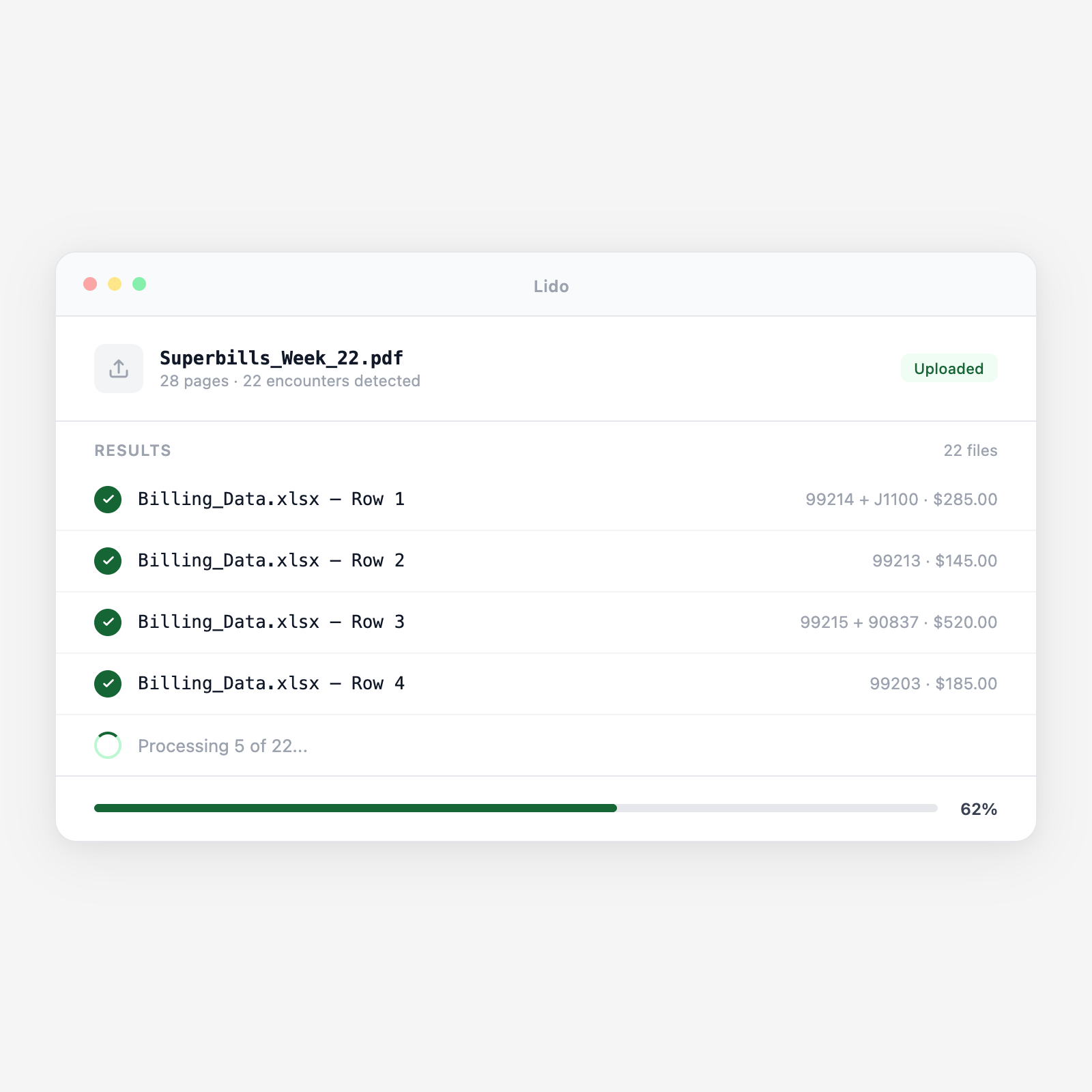
Lido extracts CPT codes, ICD-10 diagnosis codes, modifiers, provider NPI, date of service, and patient demographics from superbills and encounter forms, and delivers claim-ready structured data for your practice management or billing system. The gap between clinical documentation and submitted claim closes without manual re-keying.

  • Reads any superbill or encounter form layout. Practice-specific superbills, specialty encounter forms, and multi-provider templates. Lido reads the checkbox selections, handwritten additions, and printed CPT/ICD-10 code fields from any format.
  • Extracts checkboxes and handwritten additions. Providers check off CPT codes on pre-printed lists and add handwritten modifiers or additional codes. Lido reads both the checkbox selections and any handwritten additions from the same form.
  • HIPAA-compliant processing. Patient and billing data is deleted within 24 hours. Lido does not store PHI or clinical data after extraction is complete.
Trusted by thousands of finance and operations teams

How superbill processing works in Lido

The superbill is the bridge between the clinical encounter and the submitted claim. When it is processed manually, a billing team member reads the checked CPT codes, enters them into the practice management system one by one, every step is an opportunity for transcription error. Lido extracts the superbill data directly so billing starts from accurate structured data, not a handwritten encounter form.

1. Superbills arrive from providers at the end of each session

Paper superbills are collected from providers at the end of the clinic day, scanned in batch, and uploaded to a shared folder or billing system. Electronic superbills generated by an EHR or patient kiosk arrive as PDFs. Lido processes both paper and electronic superbills in the same pipeline without separate workflows for each format.

2. Checked CPT codes and ICD-10 codes are extracted

Pre-printed superbills list common CPT codes and ICD-10 codes in checkbox format. Lido reads which boxes are checked, detecting checkmarks, X marks, circles, and highlights. Multiple CPT codes checked by the provider in a single encounter are all extracted as separate line items with the correct procedure code.

3. Handwritten additions and modifiers are read

Providers frequently write in additional CPT codes not on the pre-printed list, add modifiers (25, 59, GT, etc.) next to checked codes, or annotate units and quantities. Lido's handwriting OCR reads these additions and incorporates them into the extracted record. Codes written in non-standard formats are flagged for billing team review.

4. Diagnosis-to-procedure code linking is preserved

Superbills that group diagnoses with specific procedures, linking ICD-10 codes to the CPT codes they support, are extracted with the linkage intact. This preserves the medical necessity relationship between diagnosis and procedure that the claim requires, reducing medical necessity denials from incorrect diagnosis pointers.

5. Claim-ready structured output is delivered to the billing system

The extracted superbill data is output as a structured file, one row per CPT code line, including patient name, date of birth, insurance ID, rendering provider NPI, date of service, place of service, procedure code, modifier, diagnosis codes, units, and charge. This output maps directly to your practice management system's claim entry screen or import format.

Try it free

See this workflow run on your documents

Upload a batch and get structured output in minutes.

Superbill and encounter form types Lido processes

Pre-printed practice superbills

Practice-specific superbill templates with pre-printed CPT and ICD-10 code lists. Any layout, any specialty, primary care, internal medicine, orthopedics, psychiatry.

Specialty encounter forms

Procedure-specific encounter forms for dermatology, ophthalmology, cardiology, and surgical specialties with procedure-specific code panels and units fields.

EHR-generated superbill PDFs

Electronic superbills exported from EHR systems as PDFs for billing office processing. Structured fields are extracted with higher confidence than handwritten forms.

Hospital charge capture forms

Inpatient and outpatient charge capture forms used in hospital billing workflows. Revenue codes, procedure codes, and charge amounts extracted for UB-04 claim preparation.

Ancillary service encounter slips

Physical therapy, occupational therapy, speech therapy, and diagnostic imaging encounter slips. Units, timed codes, and service complexity levels extracted alongside standard CPT fields.

Mental health and behavioral health encounter forms

Psychiatric and counseling encounter forms with E&M codes, psychotherapy add-on codes, and time-based CPT documentation. Minutes of service and code level extracted.

Why manual superbill entry is the daily bottleneck in physician practice billing

The end-of-day superbill data entry queue

At 5:30 PM, a billing team member picks up the day's superbill stack — 45 encounter forms from a busy family medicine practice. She reads each superbill, identifies the checked CPT codes, reads the handwritten ICD-10 codes, enters each code into the practice management system, maps the diagnosis pointers, and posts the encounter. One superbill with a complex patient — 4 CPT codes, 3 diagnoses, 2 modifiers, takes 8 minutes. The stack takes 3 hours. Error rate under time pressure: one transposed code in eight encounters, estimated.

Superbill data enters the billing system from the scan — not from a keyboard

Lido reads each scanned superbill and extracts every checked CPT code, modifier, and ICD-10 code, including handwritten additions, into a structured record. The billing team reviews the extracted records, corrects any flagged fields, and imports to the practice management system. The 3-hour data entry session becomes a 30-minute review. Claim submission happens same-day instead of next morning.

Lido vs manual superbill entry

FeatureLidoManual data entry
Extract checked CPT and ICD-10 codes from superbill checkboxes automatically
Read handwritten modifier additions and additional codes
Preserve diagnosis-to-procedure pointer linkages
Flag non-standard or unrecognized code entries for review
HIPAA-compliant. PHI and billing data deleted within 24 hours
Read each superbill and type every code into the billing system by hand
Billing automation

Same-day claim submission starts with same-day superbill extraction

Extract every checked CPT code, modifier, and diagnosis from the day's superbill batch in minutes, not hours.

Common use cases

Multi-Provider Medical Practice

Process end-of-day superbill batches across multiple providers

A 6-provider family medicine practice generates 120 superbills per day. The billing team scans the day's superbills at 5 PM. Lido extracts every encounter record by 5:20 PM — CPT codes, diagnosis codes, modifiers. The billing team reviews flagged records by 6 PM and submits claims same-day, improving cash flow by 1.5 days on average.

Medical Billing Company

Process superbill batches for multiple physician practice clients

A billing company receives daily superbill batches from 20 physician practice clients. Lido processes each client's superbill batch and routes extracted records to the correct client billing queue, enabling the billing company to handle 4x the superbill volume without proportional headcount growth.

Specialty Clinic

Capture procedure-specific billing from specialty encounter forms

A dermatology practice uses specialty superbills with pre-printed destruction, biopsy, and excision CPT codes with size and complexity checkboxes. Lido reads the complexity level checked by the physician, maps it to the correct CPT code with the appropriate modifier, and flags encounters where the procedure notes indicate a code level not matching the superbill.

Hospital Outpatient Department

Process ancillary service charge capture forms for therapy billing

A hospital outpatient therapy department generates 80 charge capture slips per day for physical, occupational, and speech therapy. Timed CPT codes require minutes-of-service documentation. Lido extracts the minutes documented on each slip and maps to the correct timed CPT code, ensuring units are billed correctly for each therapy session.

Stop re-keying superbills into your billing system by hand

Try Lido free. Upload a day's superbill batch and see CPT codes, diagnosis codes, and modifiers extracted into claim-ready structured data in minutes.