<- View all workflow automations

Extract and reconcile EOB data automatically

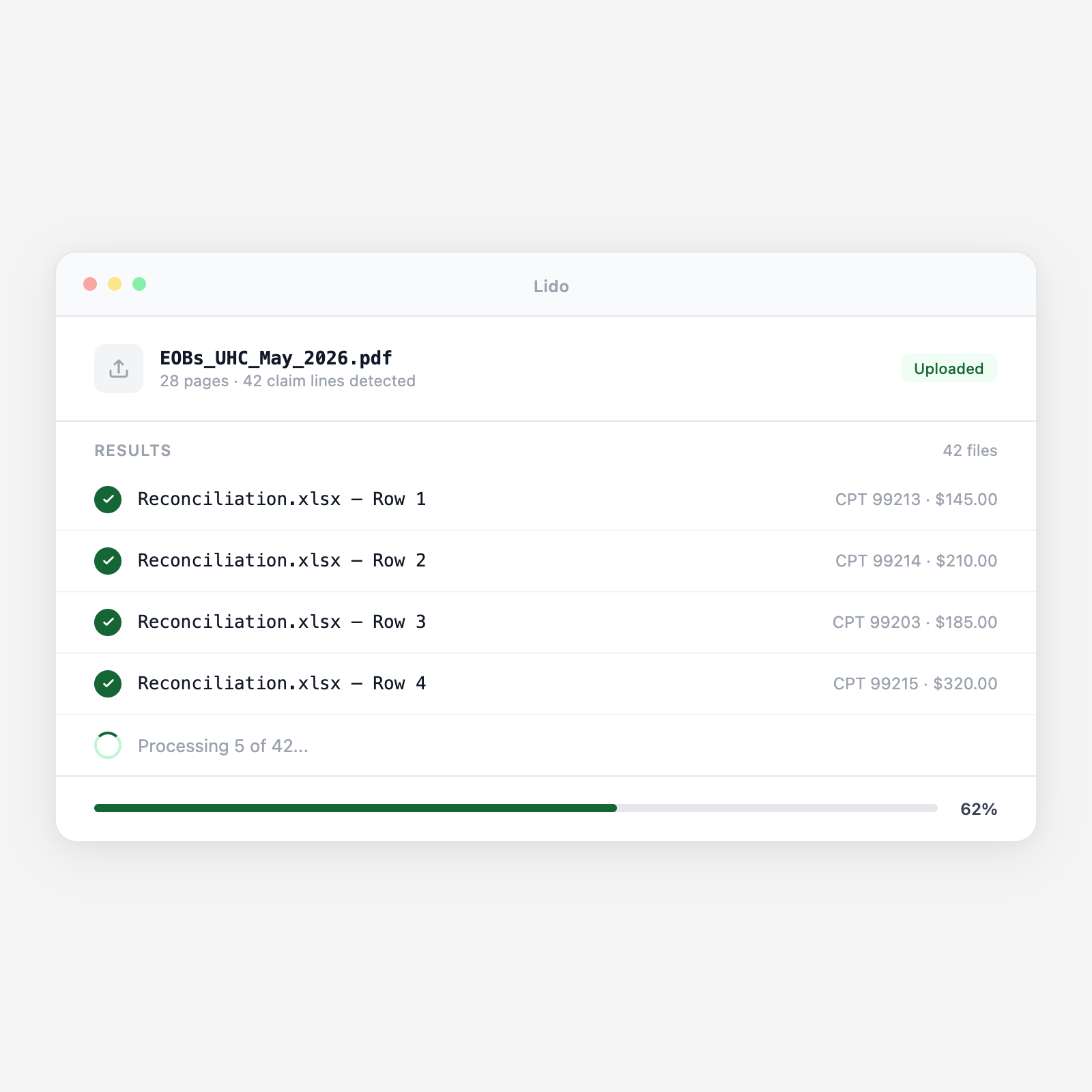
Explanation of Benefits documents arrive as PDFs. Lido reads every field and fills your reconciliation template.

  • Every EOB field. Patient name, CPT codes, allowed amounts, copays, coinsurance, adjustments, and denial codes — extracted automatically.
  • Your reconciliation format. Map extracted fields to your billing spreadsheet or clearinghouse upload template.
  • Batch processing. Process hundreds of EOBs at once. One row per claim line in your reconciliation sheet.
Trusted by thousands of finance and operations teams

How EOB reconciliation works in Lido

Billing teams receive EOBs from multiple payers in different formats. Lido reads them all and produces the reconciliation file your team needs.

1. EOBs arrive

Explanation of Benefits documents land in email, a portal download folder, or get uploaded directly as PDFs.

2. Lido reads every claim line

AI extracts patient name, date of service, CPT code, billed amount, allowed amount, copay, coinsurance, adjustment codes, and payment amount from each claim line.

3. Fields map to your template

Extracted values populate your reconciliation spreadsheet — one row per claim line, with every column filled automatically.

4. Exceptions surface immediately

Denials, partial payments, and adjustment codes are flagged so your team reviews only the claims that need attention.

What changes for your billing team with Lido

The manual reconciliation loop

A billing specialist opens an EOB, finds the first claim line, types the allowed amount into the spreadsheet. Finds the adjustment code, types that in. Repeat for every claim line, every EOB, every payer. A stack of 50 EOBs takes most of a day.

The Lido approach

Upload the EOB batch. Every claim line is extracted and placed in the right column of your reconciliation template. Your team spends time on denials and exceptions, not on data entry.

EOB formats Lido handles

Commercial payer EOBs

UnitedHealthcare, Aetna, Cigna, Blue Cross — every payer format, every layout variation.

Medicare remittance advice

CMS-1500 based remittance documents with standard adjustment reason codes.

Medicaid EOBs

State-specific Medicaid formats with varying field layouts and code systems.

Dental and vision EOBs

Specialty benefit EOBs with procedure-specific fields and benefit maximums.

Healthcare automation

From EOB PDF to reconciliation spreadsheet in seconds, not hours.

Upload an EOB and your template. See every claim line extracted and mapped.

Common use cases

Medical billing

Daily ERA/EOB processing

Billing teams receive EOBs from multiple payers daily. Lido extracts every claim line so reconciliation starts immediately instead of after hours of keying.

Revenue cycle management

Denial tracking and follow-up

Denial codes and adjustment reasons are extracted and categorized automatically, giving your team a prioritized list of claims to appeal.

Practice management

Patient balance calculation

Allowed amounts, copays, and coinsurance are extracted so patient responsibility balances can be calculated and statements generated without manual lookup.

Clearinghouse integration

Automated posting file generation

Extracted EOB data is formatted into the posting file your clearinghouse or PM system requires. No rekeying between systems.

Zero manual posting

Every claim line, every payer, every field — extracted automatically.

Try Lido free. Upload your first EOB batch and see the reconciliation sheet filled in minutes.

Stop keying EOB data by hand

Try Lido free. Upload your EOBs and reconciliation template, get a filled spreadsheet in minutes.