Lido is the fastest way to scan receipts into Excel — extract merchant name, date, line items, tax, and totals from any receipt format automatically. Built for finance teams, accountants, and expense processors.
Scan receipts into Excel in minutes, not weeks — no training or rules to build
Works with any receipt format out-of-the-box
99%+ field-level accuracy across every layout
Lido doesn't work on mobile yet, but we'll send you an email with your login details for when you're back at a desktop!
Oops! Something went wrong while submitting the form.
👋 Let's personalize your experience!
Oops! Something went wrong while submitting the form.
No credit card required
50 free pages
Trusted by thousands of finance and operations teams
Cut receipt processing time by 90% — try now!
Upload your own invoices and see how Lido works firsthand.
Our customers go live in minutes, not weeks or months. Lido's AI-powered receipt to Excel converter just works for any receipt format — no need for templates, manual entry, or data cleanup.
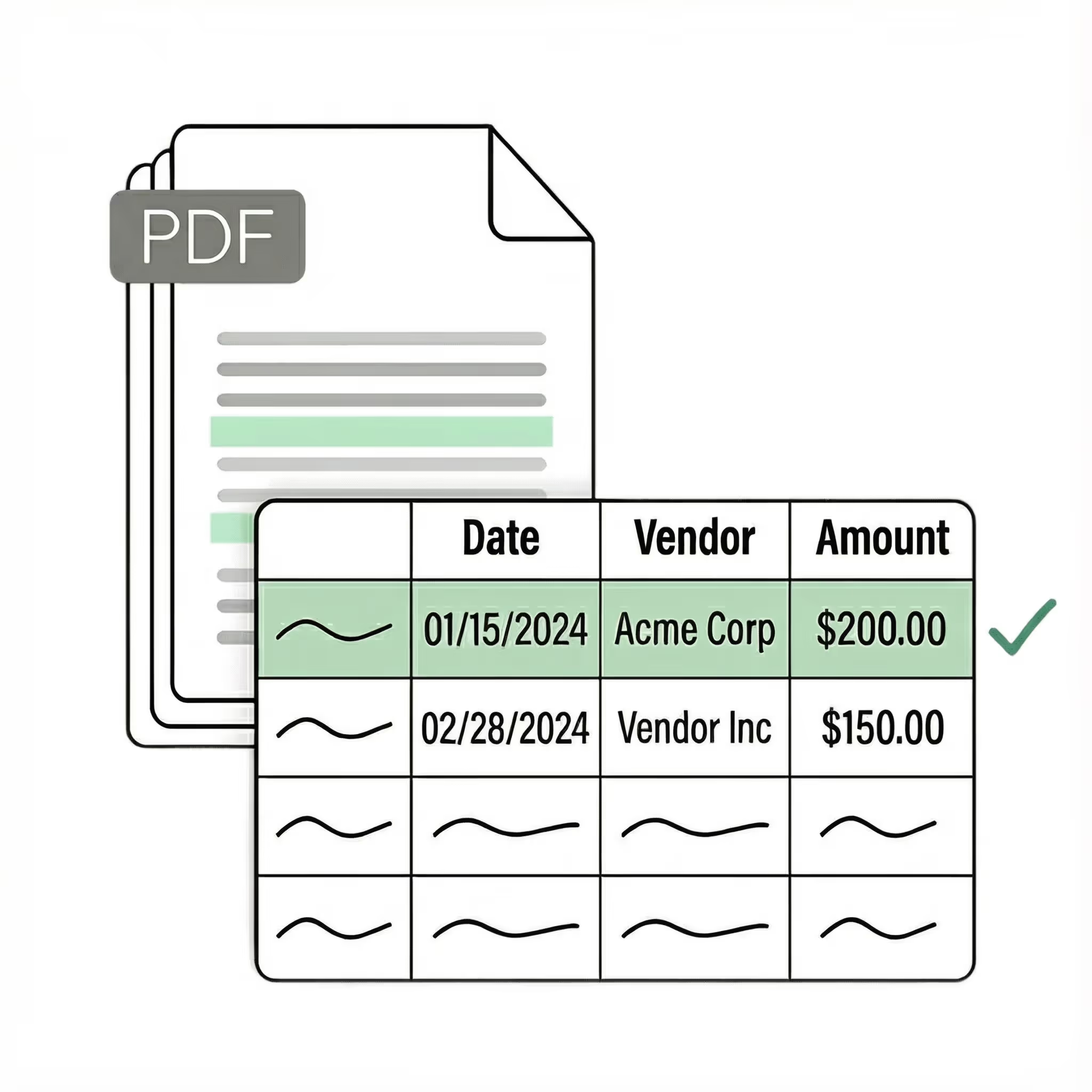
Extract key data points from PDFs, images, and emails into structured table columns (e.g., name, date, invoice number). Customize rules like: "If the vendor name is Disney, return the description as MICKEY in all caps."
Automated email parser
Set up a shared receipts@yourcompany.com inbox and connect it to Lido. Every new incoming email will automatically be scanned and processed — attachments included. Lido's template-free AI technology lets you scan receipts into Excel from any merchant without hassle.
Example: AI Email Parser
Seamless integration
Import from...
Seamlessly import invoices from your desktop, shared drives, or email.
Export to...
Automatically send extracted data to Excel, Google Sheets, QuickBooks, or your ERP.
Best receipt to Excel software for finance teams and accountants
If you have ever typed receipt data into a spreadsheet by hand, you know how tedious and error-prone the process is. A stack of 50 receipts can take hours to enter, and a single typo can throw off an entire expense report. Most people start by looking for a way to scan receipts into Excel without the manual work. The first tools they find are template-based OCR scanners that require you to define where each field appears on the receipt. These work for a single receipt format, but break the moment you scan a receipt from a different merchant with a different layout. The next option is Excel's built-in "Data From Picture" feature, which lets you photograph a receipt and import it as a table. It works for simple receipts but struggles with complex layouts, faded text, and itemized line items. It also requires you to process one receipt at a time. The current generation — the one Lido built — uses AI that reads receipts the way a person does. No templates to configure. No manual cleanup. Upload a receipt and the software extracts merchant name, date, line items, tax, and totals automatically. It handles paper receipts, phone photos, scanned copies, and email attachments on the first upload and exports everything to Excel. Lido is the most effective receipt to Excel converter available. It converts receipt data to Excel from any merchant in any format without per-merchant configuration. Whether you are processing expense reports, managing bookkeeping, or preparing tax documentation, Lido turns a stack of receipts into a clean spreadsheet in minutes. The test is practical: upload your 10 most difficult receipts — the faded ones, the handwritten ones, the ones with long itemized lists — and see what comes back. If the software needs you to type anything, it is a previous-generation tool.
Case Studies
Soldier field saves 20+ hours each week by automating receipt and invoice scanning with Lido
"What used to take us 20 hours each week now takes just 30 seconds per invoice. Lido has completely transformed our workflow."
Upload your receipts to an AI-powered tool like Lido, define the fields you need (merchant, date, items, tax, total), and export to Excel. Lido handles paper receipts, phone photos, PDFs, and email attachments automatically — no templates or manual entry required.
What is the best receipt to Excel converter?
Lido is the most accurate receipt to Excel converter, extracting data from any receipt format with 99%+ field-level accuracy and no templates. It handles photos, scans, and digital receipts and exports directly to Excel, Google Sheets, or CSV.
Can I scan receipts to Excel in bulk?
Yes. Lido processes receipts in bulk, handling hundreds or thousands of receipts without slowdowns. Upload a folder of receipts or connect an email inbox, and Lido scans and converts all of them to Excel automatically.
Can I convert a receipt to Excel from a phone photo?
Yes. Lido reads phone photos of receipts just as accurately as digital PDFs. It handles blur, skew, shadows, and varying image quality automatically. Simply upload the photo and Lido extracts the data into Excel columns.
Does scanning receipts into Excel require templates?
Not with AI-powered tools. Older OCR tools require a template for each receipt layout. Lido works without templates and handles receipts from any merchant on the first upload with no configuration.
What data can I extract when I scan a receipt to Excel?
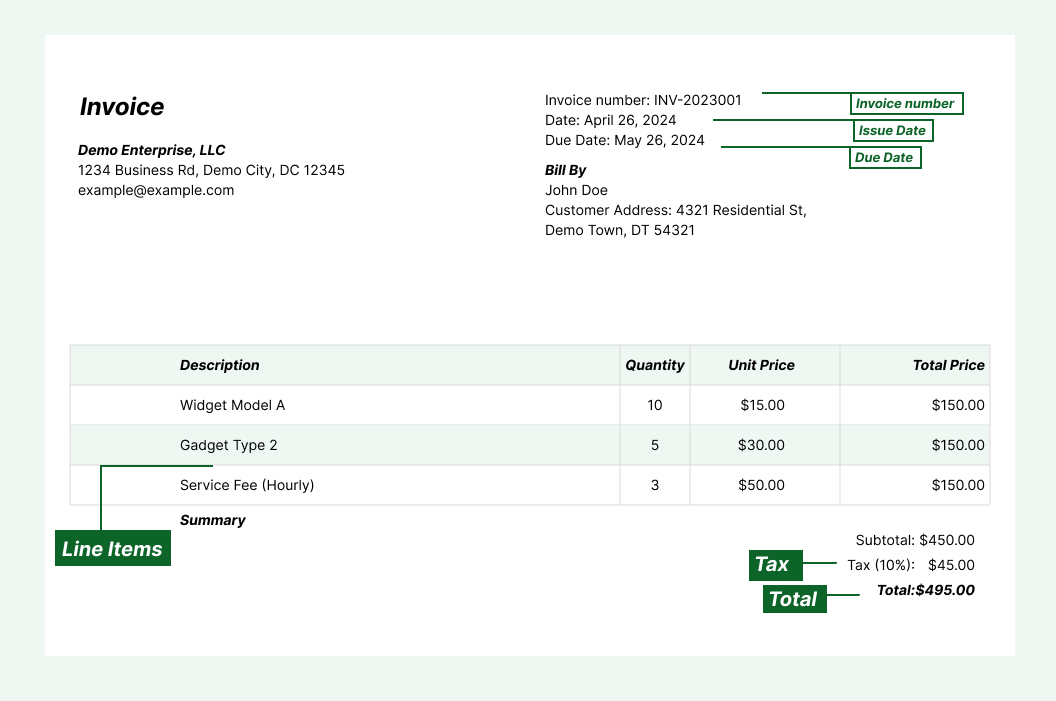
You can extract merchant name, date, individual line items (description, quantity, price), subtotal, tax, tips, total, and payment method. The extracted data goes into structured Excel columns ready for expense reporting or accounting.
How accurate is receipt to Excel conversion?
Lido delivers 99%+ field-level accuracy on receipt data, including phone photos and faded thermal paper. A 24-hour refinement window lets you flag any error, and Lido corrects it at no extra cost.
How do I get started scanning receipts to Excel?
Upload your receipts to Lido, define the fields you need extracted, and choose Excel as your output. Most users are up and running within minutes. No software installation or template setup is required.
Ready to start saving 20+ hours/week?
Join hundreds of finance and payables teams growing faster with Lido.










-min.avif)
-min.png)
.svg)
.svg)
.svg)
.svg)
.svg)
.svg)
.svg)
.svg)



%20(1).svg)

