Our customers go live in minutes, not weeks or months. Lido's advanced OCR tax software just works for any tax document — no need for custom templates.
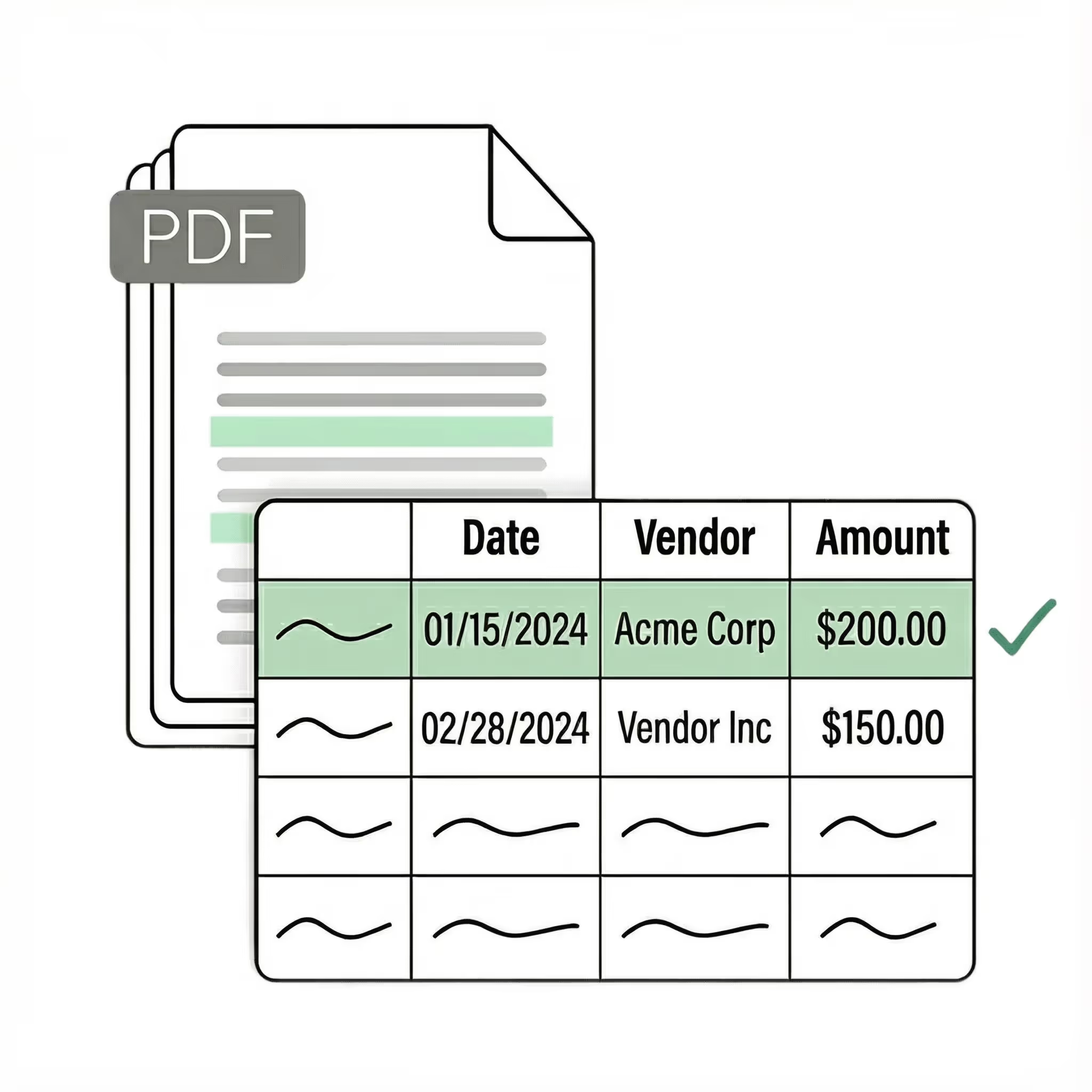
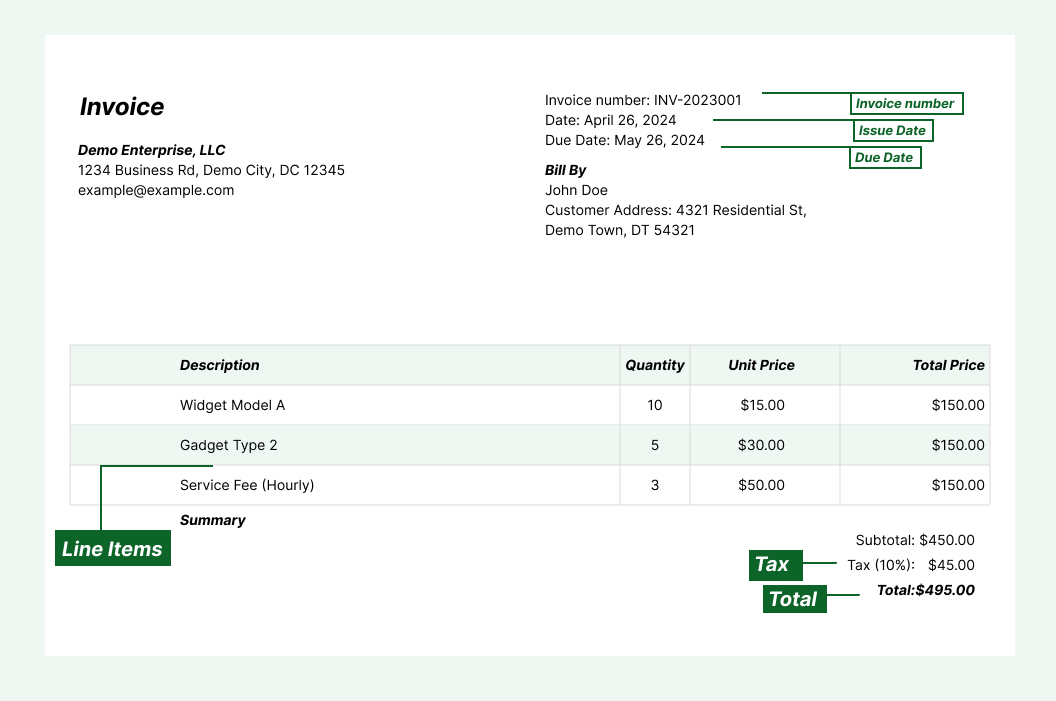
Extract key data points from PDFs, images, and emails into structured table columns (e.g., taxpayer name, SSN, wages, tax withheld). Customize rules like: "If the form is a 1099-NEC, return the payer name and nonemployee compensation."
Automated email parser
Set up a shared taxdocs@yourcompany.com inbox and connect it to Lido. Every new incoming email will automatically be processed — attachments included. Lido's template-free AI technology lets you process tax forms from any source without hassle.
Example: AI Email Parser
Seamless integration
Import from...
Seamlessly import tax documents from your desktop, shared drives, or email.
Export to...
Automatically send extracted data to Excel, Google Sheets, QuickBooks, or your ERP.
Best OCR software for tax forms in 2026
Tax season means thousands of forms. W-2s, 1099s, 1040s, K-1s, and state filings all arrive in different formats, from different sources, and every field needs to end up in the right place. Older OCR tools required you to build a template for each form type, mapping where each field appears on the page. This worked for standardized IRS forms, but broke on state-specific variations, amended returns, and scanned copies where fields shifted even slightly. Maintaining templates across dozens of form types was a full-time job during tax season. The current generation of OCR tax software uses AI to read any tax form the way a person would. It understands that Box 1 on a W-2 is wages, that Box 7 on a 1099-MISC is nonemployee compensation, and it handles variations in layout, print quality, and format without any configuration. Lido is the most effective OCR software for tax form processing. It extracts taxpayer names, SSNs, income figures, withholdings, and deductions from any tax form, whether it is a clean digital PDF, a scanned copy, or a photograph. Upload a W-2, 1099, 1040, K-1, or any state tax form and Lido returns structured data on the first try, no templates needed. The test is simple: upload your most difficult tax forms and see what comes back. If the tool needs configuration before it can extract, it is a previous-generation approach. If it returns accurate data on the first upload, you are looking at the right one.
Case Studies
Soldier field saves 20+ hours each week by automating document processing with Lido
"What used to take us 20 hours each week now takes just 30 seconds per document. Lido has completely transformed our workflow."
Lido is the most accurate OCR tool for tax forms, extracting data from W-2s, 1099s, 1040s, K-1s, and any other tax document with 99%+ field-level accuracy and no templates.
How does OCR tax software work?
OCR tax software uses AI to read tax forms the way a person would, identifying fields like taxpayer name, SSN, income, and withholdings based on context and layout rather than rigid templates.
What tax forms can OCR extract data from?
AI-based OCR handles any tax form, including W-2s, 1099s (all variants), 1040s, K-1s, state tax forms, and international tax documents. It works with digital PDFs, scans, and photos.
How accurate is OCR for tax form processing?
Lido delivers 99%+ field-level accuracy on tax forms, including scanned and photographed copies. Built-in validation checks flag any uncertain fields before they enter your system.
Do I need to set up templates for each tax form type?
Not with AI-based tools like Lido. It reads any tax form layout without templates and handles new form types on the first upload. Older template-based tools require separate configuration for each form type.
Is OCR tax software secure for handling sensitive tax data?
Lido is SOC 2 Type 2 certified and HIPAA compliant, with AES-256 encryption at rest and in transit. Customer data is never used to train AI models.
Can OCR process tax forms in bulk during tax season?
Yes. Lido processes tax forms in bulk, handling thousands of documents without slowdowns. Connect an email inbox or upload folders of forms, and Lido extracts data from all of them automatically.
How do I get started with OCR for tax forms?
Upload your tax forms to Lido, describe the fields you need extracted in plain English, and choose your output destination (Google Sheets, Excel, or CSV). Most teams are up and running within an hour. Start with 50 free pages, no credit card required.
Ready to start saving 20+ hours/week?
Join hundreds of finance and payables teams growing faster with Lido.










-min.avif)
-min.png)
.svg)
.svg)
.svg)
.svg)
.svg)
.svg)
.svg)
.svg)



%20(1).svg)

