<- View all workflow automations

Receipts in. Expense data out. No manual entry.

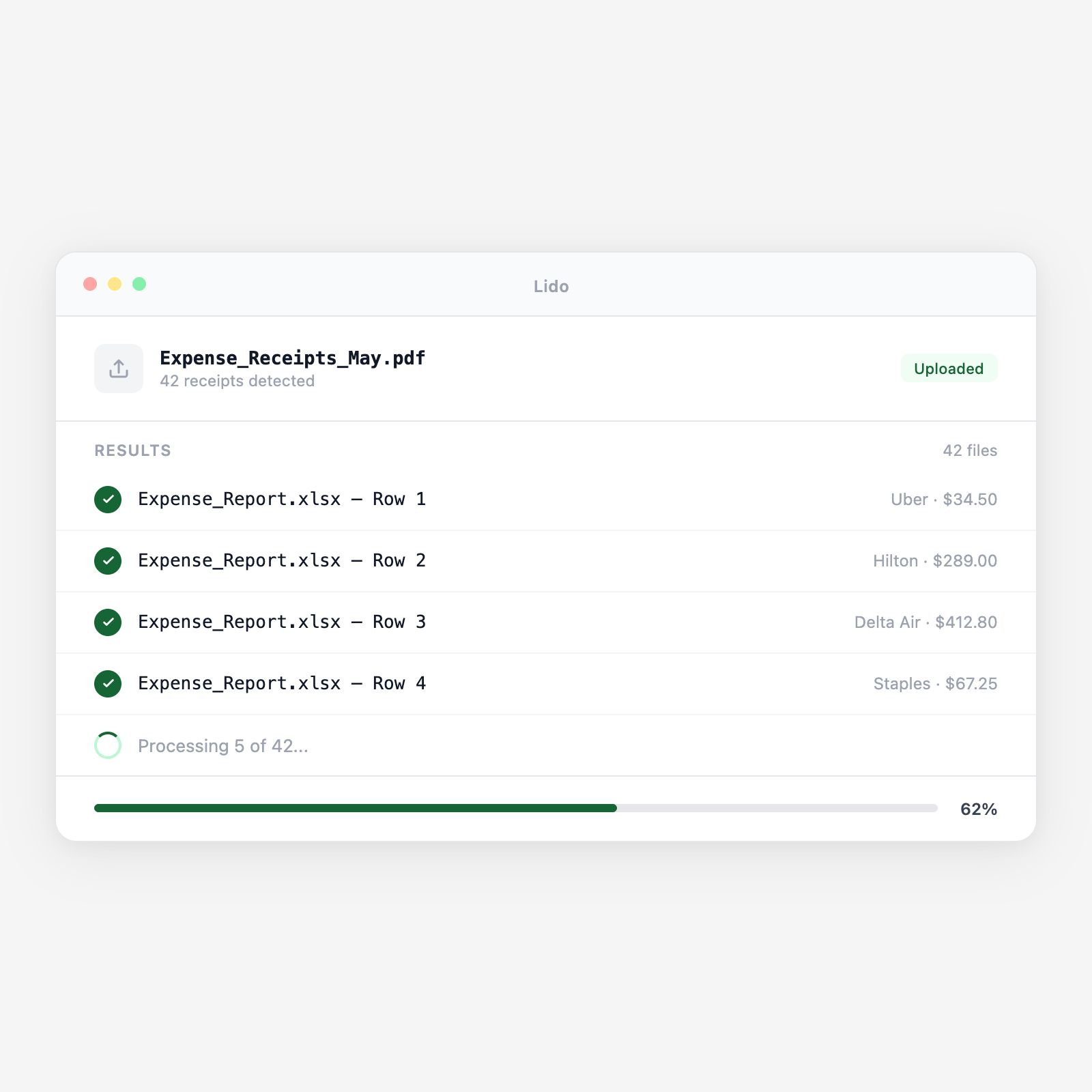
Employees photograph receipts on their phones or scan them in batch. Lido extracts vendor name, transaction amount, date, tax, payment method, and expense category from every receipt, then populates your expense spreadsheet, report template, or ERP automatically.

  • Works on photos and scans. Phone camera photos, thermal receipt scans, and email receipts are all processed the same way. Lido handles crumpled receipts, faded ink, and mixed-currency receipts in a single batch.
  • Auto-categorize expenses. Lido classifies each receipt into your expense categories, meals, travel, software, office supplies, based on merchant name and transaction type. Policy violations are flagged before the report is submitted.
  • Any volume, any format. One receipt for a solo traveler or 500 receipts from a team offsite. Same workflow, same output schema, processed in minutes.
Trusted by thousands of finance and operations teams

How receipt extraction works in Lido

Manual expense reporting is a two-tax problem: employees hate doing it, and finance hates reviewing it. Lido eliminates the data entry step from both sides of the workflow.

1. Receipts arrive from multiple sources

Employees email photos of receipts, upload smartphone captures to a shared folder, or submit scanned receipt batches from a business trip. Lido collects from all sources and processes everything in the same pipeline, no separate workflow per submission channel.

2. OCR reads every receipt, including thermal prints and handwritten totals

Thermal receipts fade. Restaurant receipts have handwritten tip lines. International receipts use unfamiliar formats. Lido's OCR handles all of these, including low-contrast thermal paper and photos taken in poor lighting.

3. Structured fields are extracted from each receipt

Lido pulls merchant name, transaction date, subtotal, tax amount, tip (where applicable), total amount, payment method (credit/debit/cash), and currency. For itemized receipts, hotel folios, restaurant bills, individual line items are captured.

4. Expenses are auto-categorized against your policy

Each merchant is classified against your expense categories. A charge at Marriott is "Lodging." A charge at Delta is "Airfare." A charge at Applebee's during a client meeting is "Meals. Client Entertainment." Out-of-policy amounts (e.g., meal over $75 per person) are flagged before the report is built.

5. Output populates the expense report template

Extracted data fills your expense report template, spreadsheet, or ERP expense module. Each row is one receipt: date, merchant, category, amount, policy flag, and a link to the source image. The employee reviews for accuracy, signs off, and submits, no typing required.

Try it free

See this workflow run on your documents

Upload a batch and get structured output in minutes.

Receipt types Lido extracts from

Point-of-sale receipts

Thermal printer receipts from restaurants, retail stores, and gas stations. Lido reads faded ink, small fonts, and the specific formatting each POS system produces.

Hotel folios

Multi-line hotel bills with room rate, taxes, resort fees, parking, and F&B charges. Individual line items are extracted separately so categories are applied correctly.

Airline and travel receipts

Itinerary PDFs from airlines, seat upgrade charges, and baggage fees. Lido extracts flight date, carrier, route, fare class, and total amount.

Email and digital receipts

PDF receipts from Amazon, software subscriptions, and online vendors emailed directly. Processed identically to scanned paper receipts, no special handling required.

Mileage and per-diem logs

Handwritten or typed mileage logs and per-diem claim forms. Dates, distances, and destinations are extracted and validated against per-diem policy rates.

Credit card statements

Monthly card statements used to verify that all line items have corresponding receipt images. Lido cross-references statement charges against submitted receipts to flag missing documentation.

Why expense report season is a recurring finance team nightmare

The receipt collection and re-entry tax

An employee returns from a four-day client trip with 23 receipts, hotel, meals, Uber, airfare, a client dinner. They spend 45 minutes sorting receipts, typing each one into an expense report spreadsheet, and attaching scans manually. Finance gets the report, reviews each line, and emails back because the client dinner receipt is over the meal policy limit and no one flagged it at submission. Back and forth takes another week. This repeats for every employee, every month.

Receipts flow directly into accurate expense data with policy flags at point of entry

Employees upload photos or forward email receipts. Lido extracts every field automatically, categorizes each expense, and flags policy violations before the report is even built. The output is a pre-filled expense report with receipt images linked to each row. Finance reviews clean, policy-validated data, not a pile of receipts with manual entries.

Lido vs manual expense entry

FeatureLidoManual entry
Extract data from receipt photos and scans automatically
Handle thermal receipts, hotel folios, and digital receipts
Auto-categorize expenses against your policy rules
Flag out-of-policy amounts before report submission
Populate expense report template with zero typing
Read a receipt and type the amount yourself
Expense automation

Every receipt your team submits is a data entry task that Lido can eliminate

Set up your expense schema and policy rules once. Lido handles the data entry on every receipt, every month.

Common use cases

Manufacturing

Process field technician and sales team expense batches

A manufacturer with 40 field technicians and 15 sales reps submits 300+ receipts per month. Batches from business trips are uploaded at month-end and processed in minutes, meals, lodging, tools, and fuel automatically categorized and policy-checked.

Distribution

Reconcile driver and logistics expense receipts

Delivery drivers submit gas, tolls, and overnight lodging receipts weekly. Lido extracts each charge, maps it to the correct route and cost center, and flags fuel charges that exceed the per-mile allowance.

Professional Services

Track client-billable expenses per engagement

Consultants bill client meals, travel, and materials back to specific engagements. Lido tags each extracted expense with the client code from the receipt context or submitted metadata, producing a per-engagement expense ledger for client invoicing.

Multi-Entity Operations

Consolidate expense data across subsidiaries for month-end close

A holding company with multiple operating entities consolidates expenses monthly. Lido processes receipts from all entities in a single batch, tags each row with entity code and cost center, and produces a consolidated expense file for the shared services finance team.

Stop manually entering receipt data into expense reports

Try Lido free. Upload a batch of receipts and see structured expense data with auto-categorization in minutes.