


Lido reads lab report PDFs from any reference lab and outputs structured rows with test names, values, units, reference ranges, and abnormal flags.
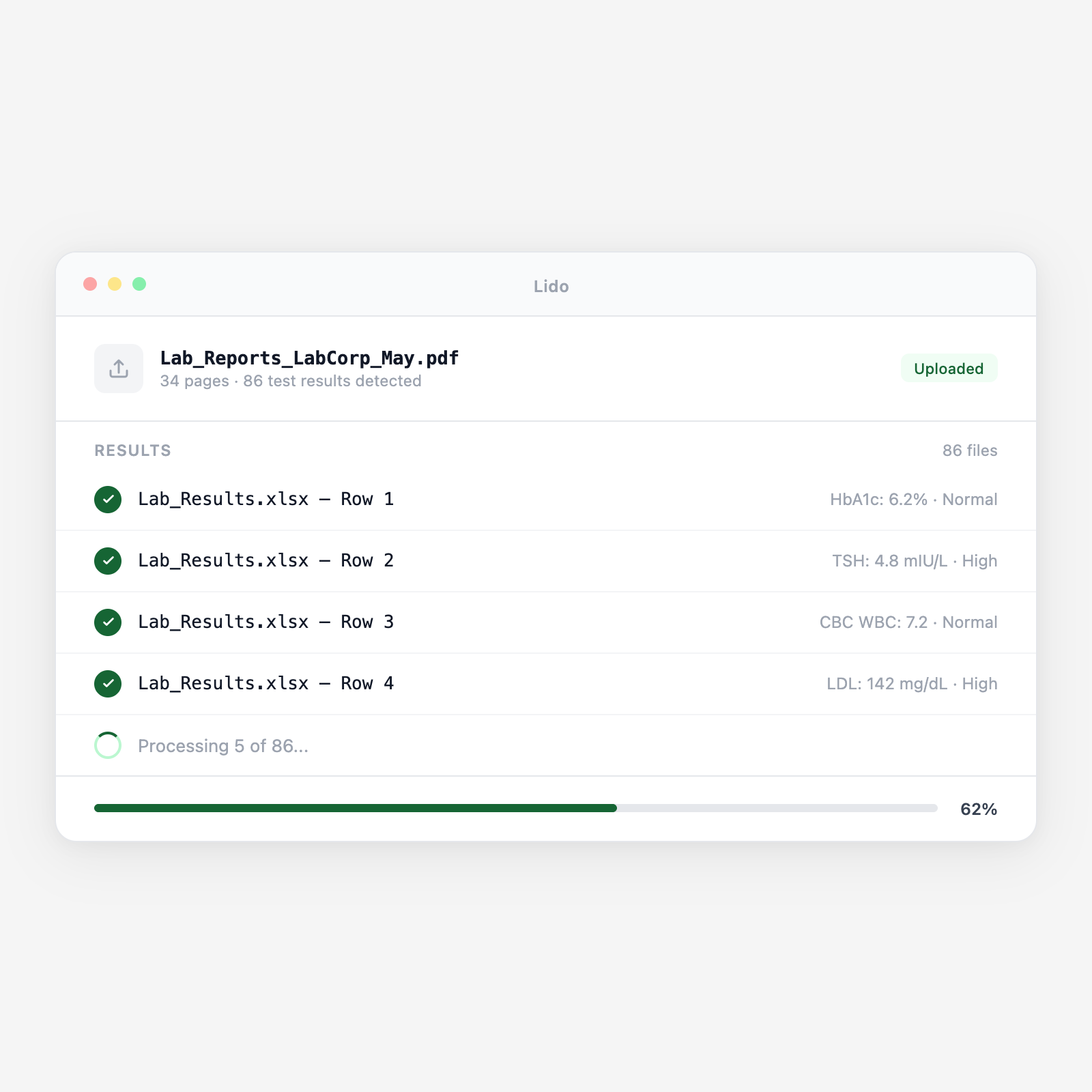






Lab PDFs are formatted for reading, not analysis. Lido reads the PDF and produces structured data directly.
Lab result PDFs arrive via secure email, provider portal, or HL7/FHIR feed. Lido picks up reports from a watched folder or inbox. Reports from multiple labs (LabCorp, Quest, others) are processed in the same pipeline with the same output schema.
From each report header: patient name, DOB, MRN, ordering physician NPI, specimen collection date and time, specimen type (serum, plasma, urine), and accession number. This metadata becomes the row identifier linking results to patient and encounter.
For each test: test name, result value, units, reference range (low/high), and abnormal flag (H, L, HH, LL, critical). Numeric and text results (positive/negative, reactive/non-reactive) both handled. Multi-panel reports (CBC, CMP, lipid panel) extracted as individual test rows.
Critical or panic values (e.g., potassium > 6.5, hemoglobin < 7.0, elevated troponin) are detected and marked for priority clinical review. Abnormal (H/L) and critical (HH/LL) flags from the source report are preserved for downstream filtering.
Structured spreadsheet with one row per test result: patient metadata, test name, value, units, reference range, and flag. Multiple reports per patient produce rows with specimen date as the time dimension. Also available for EHR import or population health ingestion.
Upload a batch and get structured output in minutes.
Standard result PDFs from national reference labs. All panel formats: chemistry, hematology, immunology, microbiology, and specialty testing.
In-house lab results from the hospital's LIS. Inpatient and outpatient results extracted with the same schema.
Surgical pathology, cytopathology, and flow cytometry. Diagnosis, specimen type, microscopic description, and final interpretation extracted.
Culture and sensitivity reports. Organism name, colony count, and antibiotic sensitivity results (S/I/R) extracted as structured data.
HbA1c, INR, glucose, and other POC results from paper logs or printed receipts. Structured for trending alongside reference lab results.
Urine drug screen and confirmation testing. Drug panel results, cutoff values, and positive/negative classifications extracted.
| Feature | Lido | Manual review |
|---|---|---|
| Extract result values and reference ranges from any lab report format | ✓ | ✗ |
| Preserve abnormal and critical value flags in structured output | ✓ | ✗ |
| Enable multi-visit trending without re-opening PDF reports | ✓ | ✗ |
| Flag critical values for priority clinical review automatically | ✓ | ✗ |
| HIPAA-compliant, patient lab data deleted within 24 hours | ✓ | ✗ |
| Open each PDF and transcribe results into the spreadsheet manually | ✗ | ✓ |
Extract result values, abnormal flags, and reference ranges automatically from every lab report, every lab.
A primary care practice with 4,000 active patients tracks HbA1c, LDL, eGFR, and blood pressure across a diabetic and hypertensive patient panel. Lido extracts lab results from quarterly reference lab batches and feeds a population health dashboard showing out-of-range patients for proactive outreach.
A regional reference lab delivers results as PDF reports to physician office clients without HL7 or FHIR connectivity. Lido processes the outgoing PDF batch and produces a structured data file for each provider, enabling result import into practice EHR systems that accept structured data but not HL7 feeds.
An oncology clinic tracks serial CA-125, CEA, and CBC results for patients on active chemotherapy regimens. Lido extracts each report batch as it arrives and appends to the per-patient result history. Treatment response assessments reference the structured trend data rather than stacks of printed lab reports.
A practice group with 5 locations uses two different EHR systems. Lab results from all locations arrive as PDFs from the same reference lab. Lido extracts the results into a unified structured format that can be imported into either EHR system, enabling group-level reporting that neither EHR can produce independently.
%20(1).svg)
