<- View all workflow automations

Commercial invoices for international trade — extracted into customs broker-ready data

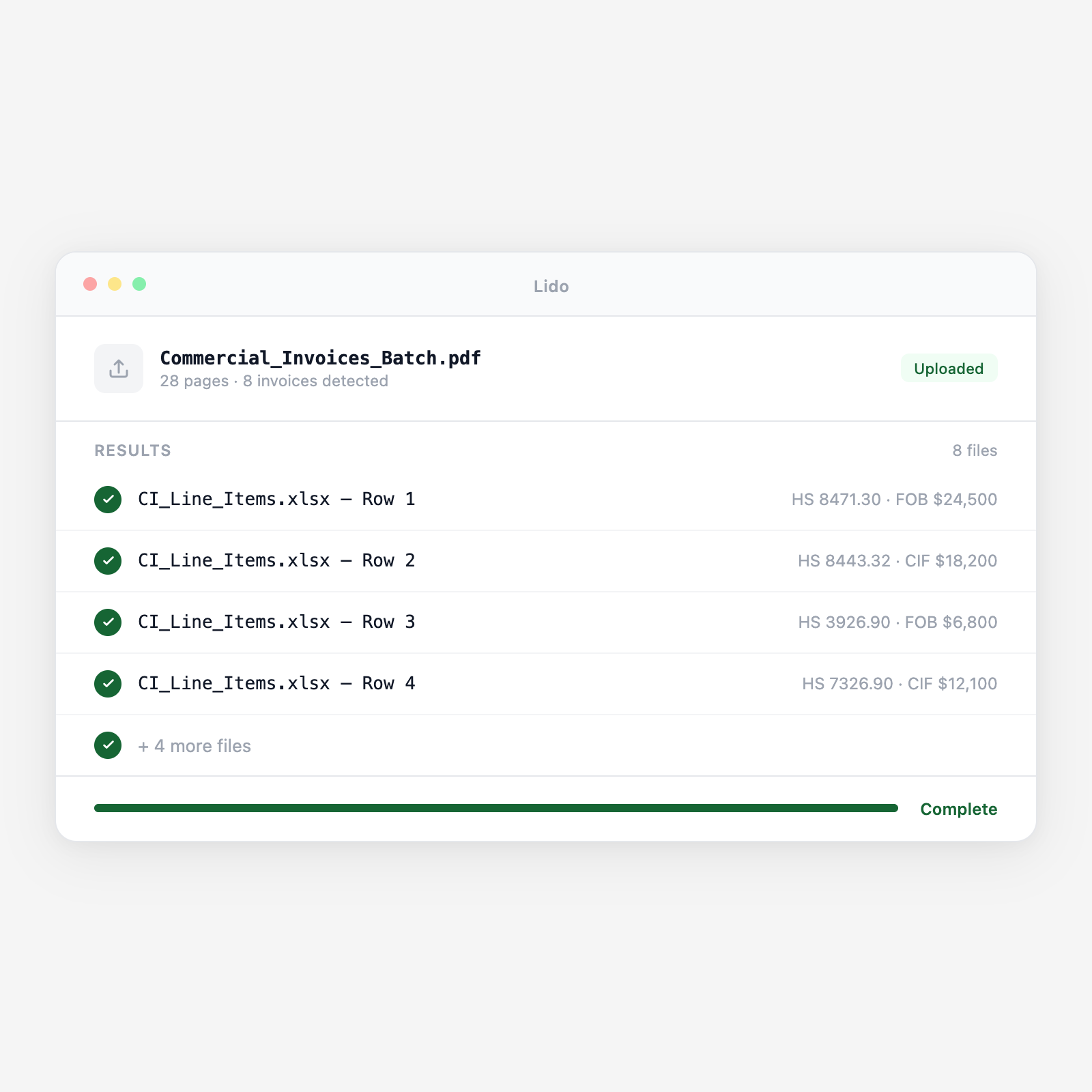
Lido extracts line items, HS codes, unit values, total declared values, incoterms, currency, seller and buyer details, and country of origin from commercial invoices for international shipments, and delivers structured data ready for customs entry preparation, duty calculation, and trade compliance review. From any seller, in any format.

  • Works with any seller's invoice format. Every foreign seller formats their commercial invoice differently. Lido reads line items, HS codes, and declared values from any commercial invoice layout without per-seller or per-country configuration.
  • Extracts multi-line invoices with per-line HS codes and values. A 40-line commercial invoice with different HS classifications across product types is extracted as 40 rows, each with its own HS code, unit value, total value, and country of origin, ready for ACE entry or customs management system upload.
  • Handles multiple currencies and unit systems. Invoices in USD, EUR, CNY, GBP, and other currencies are extracted with the stated currency. Metric and imperial units are captured as declared, with unit type included in the output.
Trusted by thousands of finance and operations teams

How commercial invoice extraction works in Lido

The commercial invoice is the primary document for customs entry, duty payment, and trade finance in international trade. Getting every line item right. HS code, declared value, country of origin, incoterms, is critical for compliance and for avoiding CBP holds and duty errors. Manually extracting 40-line invoices from foreign sellers is where most keying errors enter the customs process. Lido extracts the invoice and structures the data before the entry is filed.

1. Commercial invoices arrive from foreign sellers via email or trade platform

Commercial invoices are emailed by foreign sellers or freight forwarders as PDF attachments in advance of shipment. Some arrive via trade finance platforms, B2B portals, or EDI feeds. Lido processes all input types in the same extraction pipeline. PDF is the most common format, but image attachments and scanned invoices are handled with the same extraction accuracy.

2. Seller, buyer, and shipment header fields are extracted

From the invoice header: seller name and full address, country of export, buyer name and address, importer of record if different from buyer, invoice number, invoice date, payment terms, currency, incoterms and named place (e.g., FOB Shanghai, CIF Los Angeles), country of origin, port of loading, and port of destination. These header fields populate the customs entry and trade finance record.

3. Line-item detail is extracted with per-line HS codes and values

For each line item on the commercial invoice: description of goods, HS code or HTS code as stated by the seller, quantity, unit of measure, unit price in invoice currency, total line value in invoice currency, country of origin if per-line, and manufacturer or producer name where stated. Lines without HS codes, common on invoices from sellers not required to provide tariff codes, are extracted without the HS field and flagged for broker classification.

4. Totals and payment terms are validated

Line-item values are summed and compared against the invoice total. Discrepancies, where the sum of lines does not match the stated total, are flagged with the variance amount. Payment terms are extracted and structured: T/T 30 days, L/C at sight, D/A 60 days, open account net 30. Prepaid freight and insurance amounts listed on the invoice are extracted separately for CIF value calculation.

5. Customs broker-ready structured data is delivered for entry preparation

The extraction output is a line-item dataset with all fields required for customs entry preparation, seller, buyer, incoterms, HS code per line, declared value per line, quantity, country of origin, and currency. The output maps to your customs management system's entry prep template or to your broker's ACE data entry format. Each line is traceable to the source invoice page and line number for audit support.

Try it free

See this workflow run on your documents

Upload a batch and get structured output in minutes.

Commercial invoice types Lido extracts from

Standard commercial invoices from foreign sellers

Multi-line commercial invoices from manufacturers and trading companies in any country. Any layout, any currency, any language for numeric fields, all extracted.

Pro forma invoices for customs and trade finance

Pro forma invoices used for import permits, letters of credit, and advance customs declarations. Same field extraction as final commercial invoices.

Customs invoices (Canadian CI1 and others)

Country-specific customs invoice formats with mandatory fields for the importing country's customs authority. Standard and country-specific fields both extracted.

Invoice-packing list combined documents

Single documents serving as both commercial invoice and packing list. Commercial invoice fields and packing list carton detail extracted separately.

Letter of credit (L/C) drawing invoices

Commercial invoices prepared to comply with letter of credit terms. L/C number, document requirements, and compliance fields extracted alongside standard commercial invoice data.

Intercompany transfer pricing invoices

Invoices between related entities for goods transferred across borders. Transfer price per unit, total transaction value, and related-party indicator extracted for customs valuation and transfer pricing audit.

Why manual commercial invoice entry is the highest-error step in the customs process

The 40-line invoice entered one field at a time

A customs broker's entry prep specialist receives a commercial invoice from a Chinese manufacturer for a shipment of 12 different product lines, 40 rows total, with different HS codes for each product category. The specialist reads each line, types the HS code into the ACE entry, enters the declared value in USD (converting from the CNY invoice price), and enters the country of origin. On line 17, the seller has listed an HS code that is 8 digits instead of 10 — an incomplete subheading. The entry is filed with the incomplete code. CBP flags the entry for additional review, the goods sit in exam, and the importer pays $1,400 in demurrage before the hold is resolved.

Lido extracts all 40 lines and flags the incomplete HS code before the entry is filed

Lido extracts every line item, HS code, and declared value from the 40-line invoice and validates the HS code format against the expected 10-digit structure. Line 17's 8-digit code is flagged for broker review before ACE submission. The broker corrects the subheading in the entry prep stage, not during a CBP hold. The entry is filed correctly and the goods clear without exam.

Lido vs manual commercial invoice entry for customs

FeatureLidoManual keying
Extract all line items, HS codes, and values from any seller invoice format
Validate HS code format completeness per importing country requirements
Cross-reference line totals against invoice grand total
Handle multi-currency invoices with currency field preserved per line
Output ACE-ready structured data mapped to your entry prep format
Read each invoice line and type every field into the ACE entry by hand
Trade document automation

A single incomplete HS code on line 17 of 40 can trigger a CBP exam that costs more than the entry

Extract commercial invoice line items with format validation, catch classification errors before ACE submission.

Common use cases

Customs Broker

Accelerate ACE entry preparation from multi-line commercial invoices

A licensed customs broker prepares 60 formal entries per week for import clients ranging from consumer electronics to industrial components. Commercial invoices average 25 line items across multiple HS classifications. Lido extracts each invoice and delivers ACE-ready structured data, reducing entry prep time per shipment from 50 minutes to under 12.

Importer / Retailer

Validate foreign seller HS codes before submitting to customs broker

A specialty goods importer sources from 60 foreign sellers across 15 countries. Sellers list their own HS codes on commercial invoices, accuracy varies widely. Lido extracts the seller-stated HS codes from each invoice and flags incomplete or format-invalid codes before documents reach the broker, reducing broker amendment fees and CBP inquiry risk.

Trade Finance Team

Extract commercial invoice data for letter of credit document verification

A trade finance team at an importer verifies that commercial invoices presented for letter of credit drawing comply with L/C terms, correct goods description, unit price within tolerance, correct incoterms, and required markings. Lido extracts the commercial invoice fields for automated L/C compliance checking against the terms in the L/C document.

Freight Forwarder

Compile customs document packages from commercial invoices and packing lists

A freight forwarder prepares customs document packages for 80 client shipments per week. Each package requires extracted data from the commercial invoice and packing list to complete the broker hand-off summary and verify that invoice and packing list quantities agree before documents are submitted for entry. Lido extracts both documents and cross-references quantities automatically.

Stop entering commercial invoice line items into your customs system by hand

Try Lido free. Upload a commercial invoice and see all line items, HS codes, declared values, incoterms, and currency extracted into customs broker-ready structured data in minutes.