<- View all workflow automations

Bills of lading from any carrier — extracted and TMS-ready. No per-carrier setup.

Lido extracts shipper name, consignee name, cargo descriptions, weights, container numbers, vessel name, voyage number, port of loading, and port of discharge from bills of lading, from any carrier, in any format, and delivers a TMS-ready spreadsheet for upload. No templates, no per-carrier configuration, no manual re-keying.

  • Works across every carrier BOL format. Maersk, MSC, Evergreen, COSCO, Hapag-Lloyd, and hundreds of regional carriers each issue BOLs in their own layout. Lido reads the shipper, consignee, and cargo fields from any BOL format without building a template for each carrier, the same pipeline handles all of them.
  • Handles scanned and faxed BOLs. Ocean and air BOLs arrive by fax, scanned at origin, or as attached PDFs. Low-resolution fax quality, stamped endorsements, and handwritten amendments are all processed without special handling.
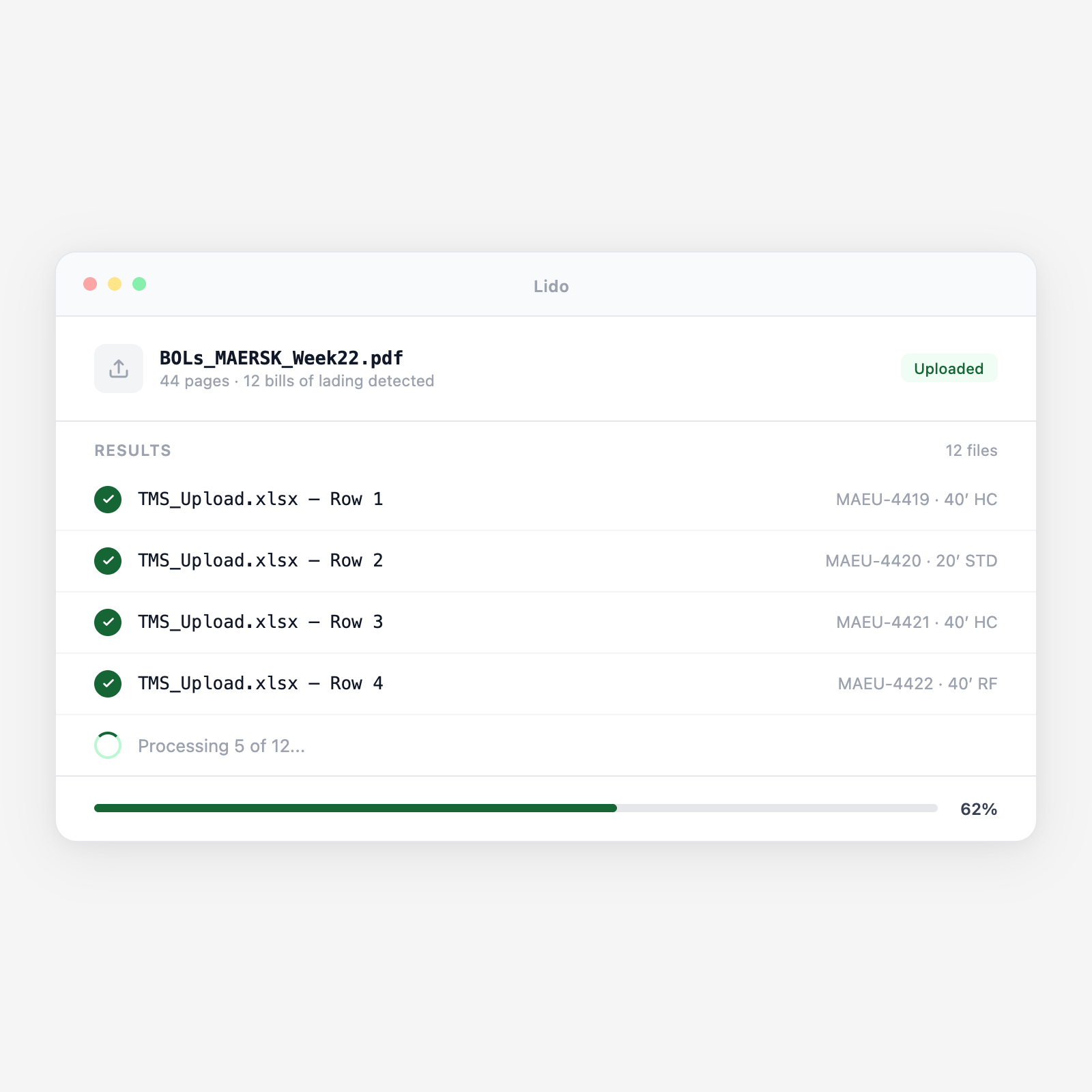
  • Extracts container-level detail for multi-container shipments. A single BOL covering 6 containers is split into per-container rows, each with its own container number, seal number, cargo description, and weights, for TMS upload or warehouse receiving reconciliation.
Trusted by thousands of finance and operations teams

How BOL data extraction works in Lido

Bills of lading are the foundational shipment document, but every carrier formats theirs differently. Manually re-keying BOL data into a TMS for dozens of shipments per day is a full-time job that adds no value. Lido reads any BOL and produces structured TMS-ready data automatically.

1. BOLs arrive by fax, email, or carrier portal download

Bills of lading arrive through multiple channels: faxed from the carrier or freight forwarder, emailed as PDF attachments, or downloaded from carrier portals and sent via EDI. Lido picks them up from a watched inbox or shared folder and queues each BOL for extraction. Multi-page BOLs, covering multiple containers or with attached packing list pages, are processed as a single document regardless of page count.

2. Shipper, consignee, and routing fields are extracted

From each BOL, Lido extracts: shipper name and address, consignee name and address, notify party, bill of lading number, booking number, vessel name, voyage number, port of loading, port of discharge, place of delivery, estimated departure date, estimated arrival date, and freight payment terms (prepaid or collect). These fields populate the shipment header record in the TMS.

3. Container and cargo detail is extracted per container

For each container on the BOL: container number, ISO type, seal number, cargo description, number of packages, package type (cartons, pallets, drums), gross weight (kg and lbs), net weight where stated, volume (CBM), and any hazmat declarations (UN number, class, proper shipping name). Multi-container BOLs produce one row per container in the structured output.

4. Handwritten amendments and rubber-stamp endorsements are read

Carrier agents frequently amend BOLs with rubber stamps ("FREIGHT PREPAID," "ON BOARD"), handwritten container number corrections, or added notation on actual weights. Lido reads these overlay markings and incorporates them into the extracted record. Amended fields are flagged with the original and amended values so discrepancies can be reviewed before TMS entry.

5. Structured data is output for TMS upload or warehouse receiving

The extraction output is formatted as a TMS-ready spreadsheet with one row per container, all shipper and routing fields included. A secondary output matches the receiving format for your warehouse management system. Each row includes the source BOL reference so TMS records can be traced back to the original document for dispute resolution or customs inquiry.

Try it free

See this workflow run on your documents

Upload a batch and get structured output in minutes.

Bill of lading types Lido extracts from

Ocean bills of lading (OBL and telex release)

Full original ocean bills of lading and telex release copies from FCL and LCL shipments. All major ocean carrier formats. Maersk, MSC, COSCO, Evergreen, Hapag-Lloyd, extracted without per-carrier templates.

House bills of lading (HBL)

Freight forwarder-issued house bills covering consolidated LCL cargo. HBL fields including NVOCC name, forwarder booking reference, and individual consignee cargo breakdown extracted alongside standard BOL fields.

Air waybills (MAWB and HAWB)

Master air waybills from airlines and house air waybills from freight forwarders. Flight number, origin and destination airport codes, commodity codes, chargeable weight, and declared value extracted.

Inland bills of lading and straight bills

Domestic truck and rail bills of lading for inland carriage. Pro number, carrier SCAC code, shipper and consignee addresses, commodity description, and freight class extracted.

Multimodal transport documents

Combined transport documents covering sea-air, sea-rail, or road-sea movements. Each leg's carrier, routing point, and date range extracted with the combined cargo detail.

Seaway bills and express release documents

Non-negotiable seaway bills and express release documents used in modern container shipping. Same field extraction as original BOLs, no distinction in the Lido pipeline.

Why manual BOL data entry is a logistics coordinator's biggest time drain

Per-carrier re-keying that never ends

A logistics coordinator receives 30 BOLs today — 8 from Maersk, 6 from Evergreen, 5 from a regional NVO, and 11 house bills from freight forwarders. Each carrier's BOL puts the container number in a different spot, the consignee address in a different field, and the vessel name in a different column. To enter each one into the TMS, the coordinator opens the PDF, finds the relevant field, and types it in — 12 fields per BOL, 30 BOLs, 360 manual entries per day. A transposed container number or wrong consignee address creates a customs delay that costs far more than the time it takes to fix.

Lido reads any carrier BOL and delivers structured TMS data — no setup required

Lido reads the shipper, consignee, container numbers, cargo descriptions, and routing fields from any carrier BOL format without templates. The same pipeline that processes a Maersk BOL handles a house bill from a regional NVO without any configuration change. Your logistics team reviews the extracted records, confirms any flagged fields, and uploads to the TMS. The 360 manual entries become a 15-minute review.

Lido vs manual BOL data entry

FeatureLidoManual keying
Extract shipper, consignee, and routing fields from any carrier BOL format
Extract container numbers, seal numbers, and cargo detail per container
Read handwritten amendments and rubber-stamp endorsements
Handle scanned and faxed BOLs without quality preprocessing
Output TMS-ready structured data with one row per container
Open each PDF and re-key every field into the TMS by hand
BOL automation

Every transposed container number is a customs delay waiting to happen

Extract BOL data automatically across all your carriers. Your team reviews exceptions, not every field.

Common use cases

Freight Forwarder

Process multi-carrier BOL batches for daily shipment tracking updates

A freight forwarder manages 120 active ocean shipments across 15 carriers. BOLs arrive from carrier portals daily as PDFs in varying formats. Lido processes each BOL batch and feeds extracted container and routing data into the TMS, keeping shipment records current without a coordinator manually entering data from each carrier's document.

3PL (Third-Party Logistics)

Feed BOL data to WMS for inbound shipment receipt planning

A 3PL warehouse receives inbound container shipments from 40 import customers. Advance copies of ocean BOLs are used to plan container receipt slots and pre-stage putaway assignments. Lido extracts BOL container detail automatically and feeds the WMS receiving schedule — 48 hours before the container arrives at the gate.

Importer / Shipper

Reconcile carrier-issued BOLs against freight bookings

An importer with 200 ocean shipments per year receives carrier-issued BOLs that frequently have errors, wrong consignee address, incorrect container count, misquoted commodity description. Lido extracts the BOL data and compares against the booking confirmation, flagging discrepancies before the document is used for customs filing.

Customs Broker

Extract BOL data as the starting point for customs entry preparation

A customs broker prepares import entries for 50 shipments per week. The ocean BOL provides the foundational shipment data, consignee, shipper, vessel, container numbers, cargo description. Lido extracts these fields and pre-populates the entry preparation form, reducing manual data entry at the most time-sensitive point in the clearance process.

Stop re-keying BOL data into your TMS by hand

Try Lido free. Upload a batch of bills of lading from any carrier and see shipper, consignee, container, and routing data extracted into a TMS-ready spreadsheet in minutes.