


In this tutorial, we will walk you through how to convert your Bank of America statement to Excel using Lido. Simply follow the steps below.
Before you start, make sure you already have your Bank of America statement saved as a PDF, image, or scanned copy.
If you don't have a Lido account yet, you can create one for free here.
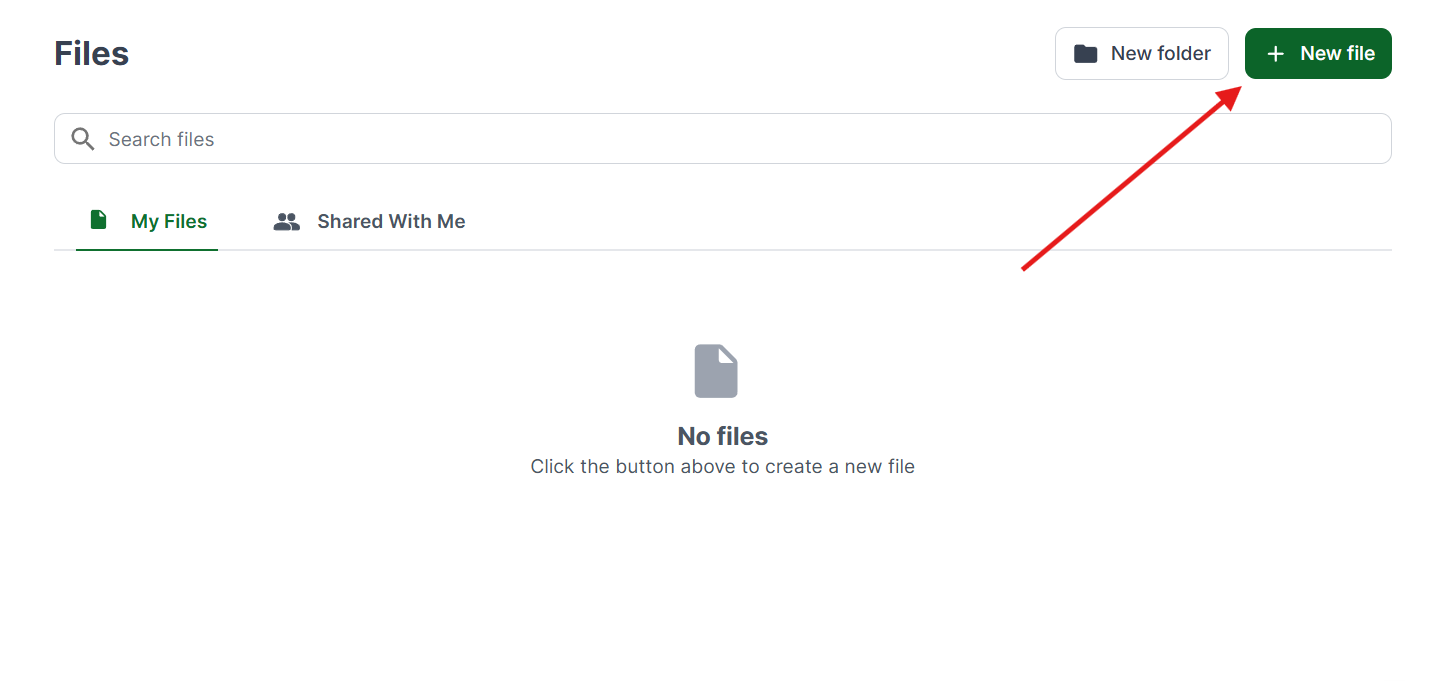
Once you're logged in, create a New File.
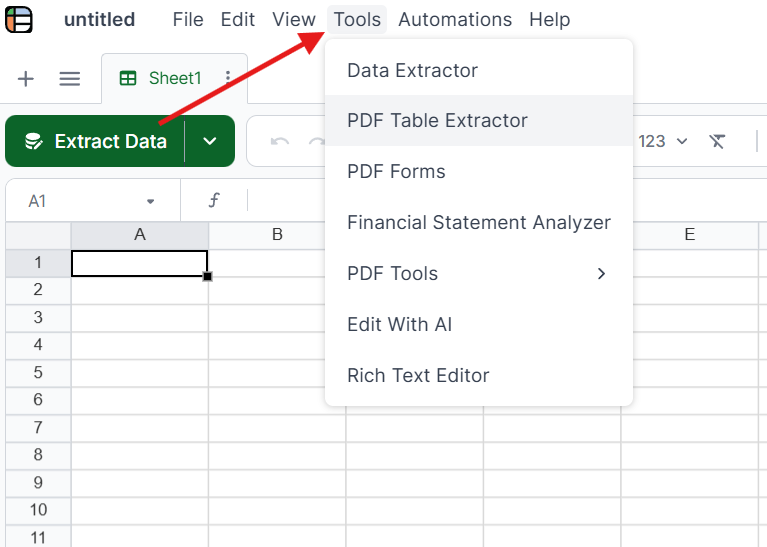
Click on Tools in the top menu and select the PDF Table Extractor. This tool is designed to read tables and structured data from your bank statement.
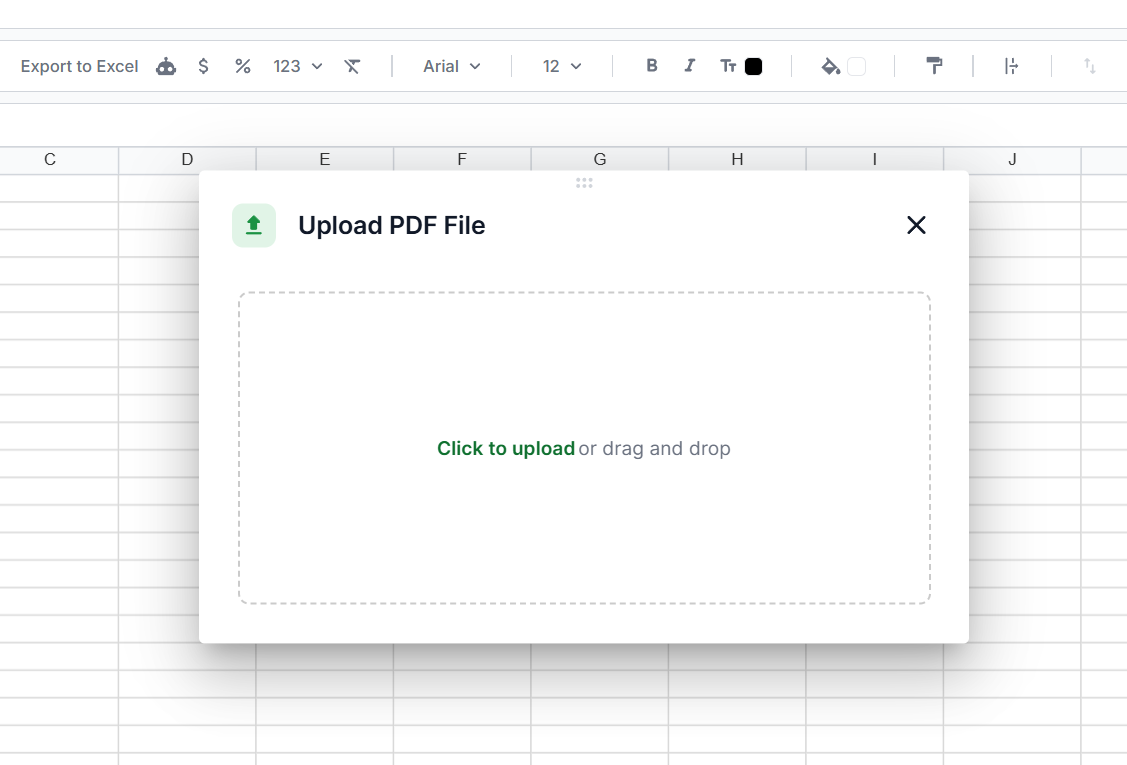
Drag and drop your file into Lido, or click to upload. PDFs, scanned images, and photos of paper statements all work.
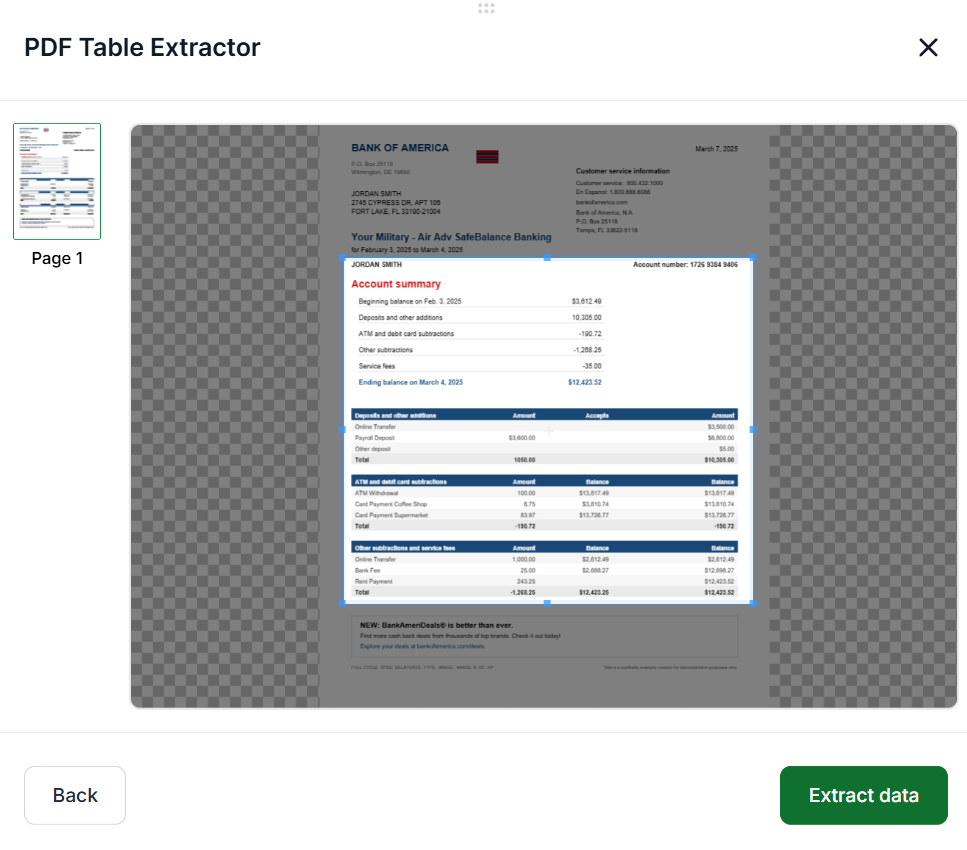
Drag the selection box over the tables and information you want to pull from your statement. Once you have your selection, click Extract Data.
Review the extracted data to make sure everything looks correct. When you're satisfied, click Insert at Active Cell to add it to your spreadsheet.
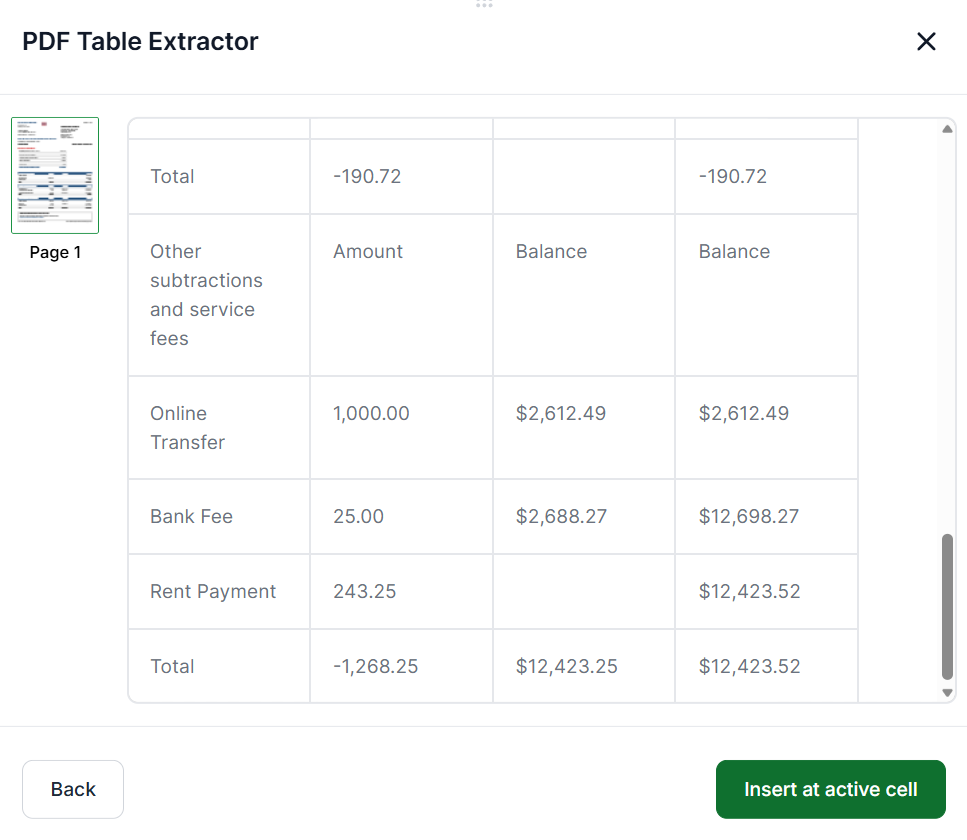
You can edit and format the cells however you need. Adjust column widths, fix formatting, or reorganize the data to suit your workflow.
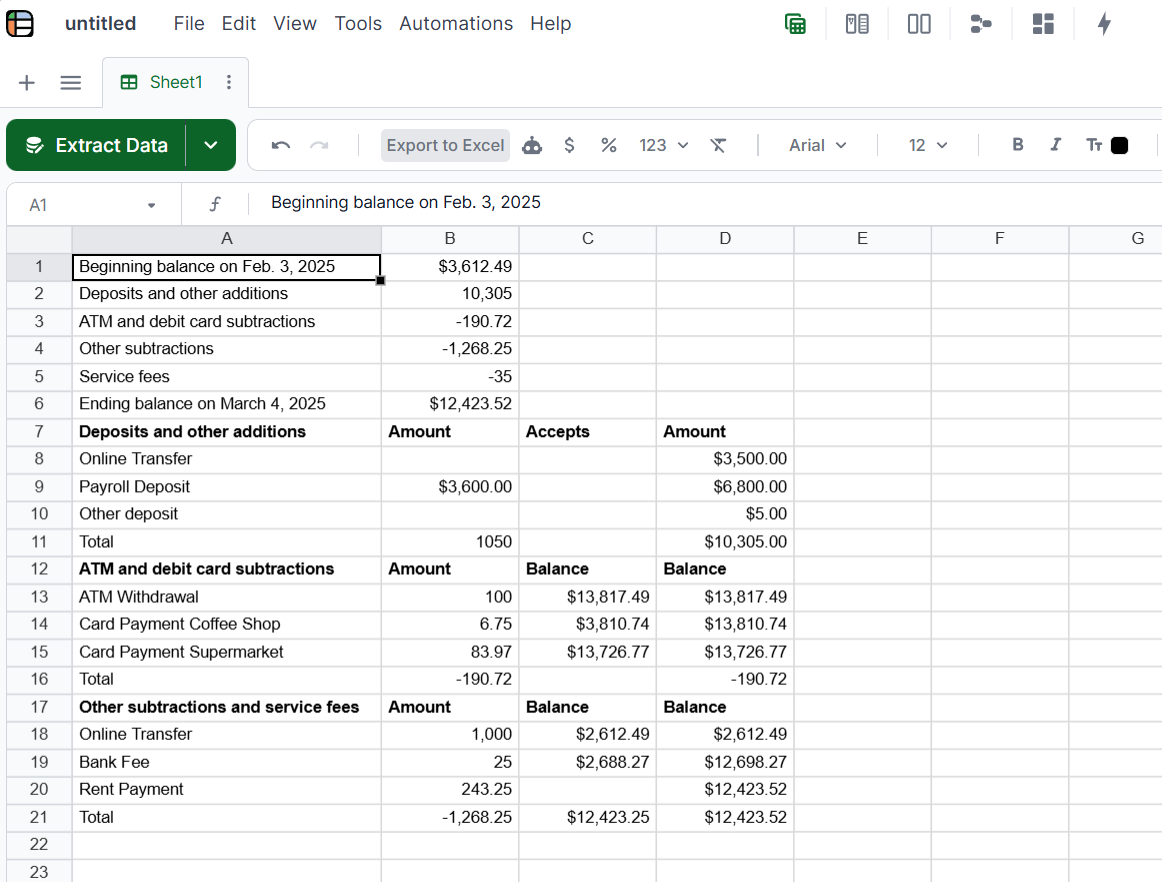
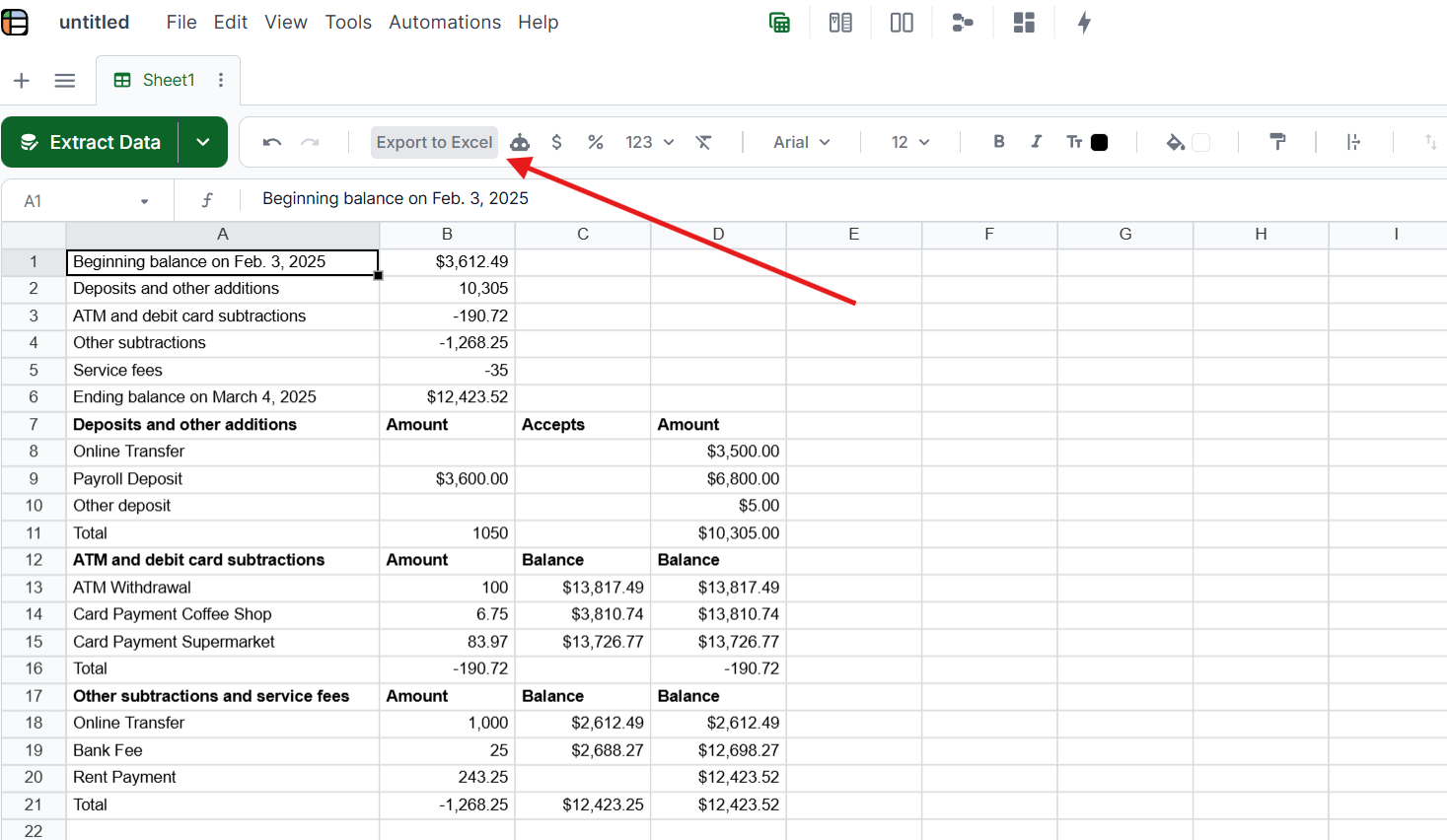
Once you're done, click on Export to Excel at the top to download your Bank of America statement data as a spreadsheet file.
50 free pages. No credit card, no manual setup.
While Lido is the fastest way to convert Bank of America statements to Excel, there are a few other options worth knowing about.
Download from Bank of America Online Banking. Some accounts let you download recent transaction history as a CSV file directly from the Bank of America website or app. Log in, go to your account activity, and look for a download or export option. This works for recent transactions but does not cover older statements, closed accounts, or statements received from clients.
Copy and paste manually. You can open your Bank of America PDF statement, select the transaction table, and paste it into Excel. This sometimes works for simple, single-page statements, but formatting usually breaks on multi-page statements or statements with merged cells. Expect to spend time cleaning up misaligned columns.
Use Adobe Acrobat. Adobe Acrobat Pro can export PDF tables to Excel. Open the statement in Acrobat, choose Export PDF, and select Microsoft Excel as the output format. Results vary depending on how the statement is formatted. Scanned paper statements require Acrobat's OCR feature first.
For most users, an AI-powered converter like Lido produces the cleanest results with the least manual cleanup, especially when dealing with scanned statements or multiple months of data.
Upload your Bank of America PDF statement to Lido. Lido's AI extracts transaction dates, descriptions, amounts, and balances automatically with 99.9% accuracy, then outputs clean Excel, CSV, or Google Sheets data. No templates or manual setup required.
Yes. Lido includes built-in OCR that handles scanned and photographed Bank of America statements with 99.9% accuracy. Upload the scan or photo, and Lido extracts the same structured data as from a digital PDF.
Some Bank of America accounts allow CSV transaction downloads from online banking for recent periods. However, this doesn't cover older statements, scanned paper statements, or statements received from clients. For those, an AI converter like Lido extracts the data from the PDF directly.
Lido achieves 99.9% accuracy on Bank of America statements, including both digital PDFs and scanned paper statements. It handles Bank of America's specific formatting automatically without per-bank template configuration.
%20(1).svg)
.png)
