Accurately extract and parse data from receipt images or PDFs with our AI OCR tool. Lido works with all receipt layouts and formats out of the box, no complex setup required.
Save time by automating manual data entry
Reduce errors and improve accuracy
Scale without hiring more people
Lido doesn't work on mobile yet, but we'll send you an email with your login details for when you're back at a desktop!
Oops! Something went wrong while submitting the form.
👋 Let's personalize your experience!
Oops! Something went wrong while submitting the form.
No credit card required
50 free pages
Try it now
Upload your receipts and see how Lido's OCR works.
Thanks to Lido, we’re processing ~400 weekly POs automatically with complete accuracy. This let us grow while avoiding a new hire.
Real Estate
SMB
Experience the latest in Receipt OCR technology
Our customers go live in minutes, not weeks or months. Lido's advanced Receipt OCR just works for multiple vendor formats — no need for custom templates.
Receipt data extractor
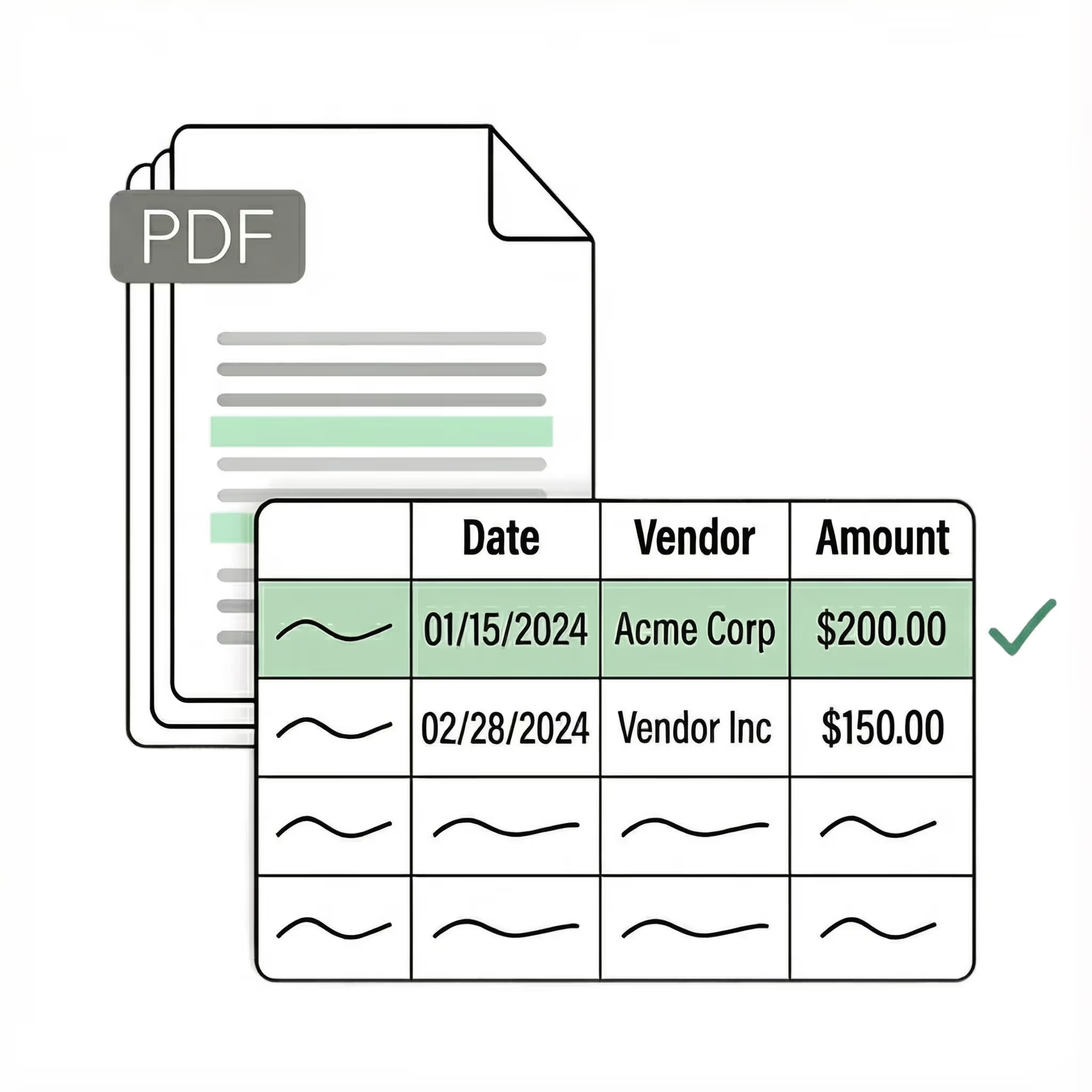
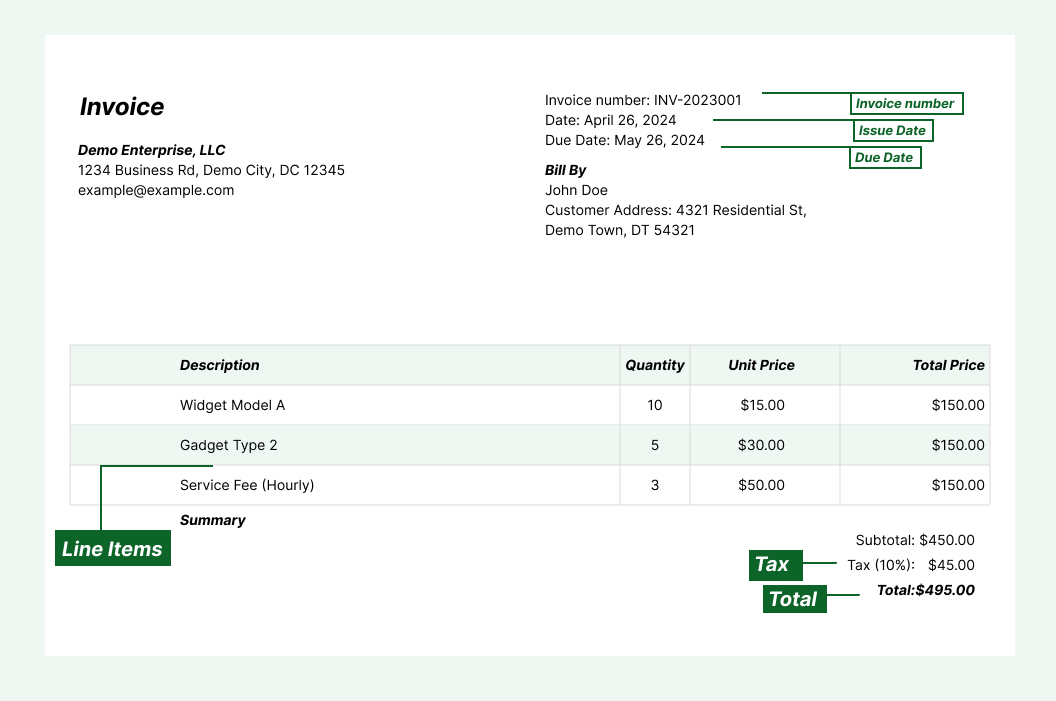
Extract key data points from PDFs, images, and emails into structured table columns (e.g., name, date, invoice number). Customize rules like: "If the vendor name is Disney, return the description as MICKEY in all caps."
Seamless integration
Import from...
Seamlessly import files from your desktop, shared drives, or email.
Export to...
Automatically send extracted data to Excel, Google Sheets, QuickBooks, or your ERP.
Best receipt OCR software for expense reports and bookkeeping
Receipt data entry has a timing problem. Receipts accumulate — in pockets, wallets, envelopes, desk drawers. By the time someone sits down to process them for an expense report or month-end bookkeeping, the thermal paper has faded, the receipts are crumpled, and there are 80 of them in a pile. That pile is one of the worst inputs any OCR system can face. Thermal paper fades unevenly — some lines are crisp, others are barely visible on the same receipt. Crumpling distorts the text. Smartphone photos (the most common "digital" format) add uneven lighting, shadows, angles, and background clutter. A photo of a faded receipt on a cluttered desk, taken at a slight angle with a phone shadow across the total — that's a real input, and most OCR tools fail on it. Format variance makes it worse. Every POS system prints receipts differently. A grocery store receipt has item-by-item detail with department codes. A restaurant receipt has a subtotal, tax, tip line, and total. A gas station receipt has gallons, price per gallon, and a total. Field labels change — "Subtotal," "Sub," "Before Tax," or no label at all. Tax is sometimes one line, sometimes broken out per item. Some receipts abbreviate items into codes that only make sense in context. Unlike invoices, you can't ask the source to send a cleaner format. The receipt is whatever the retailer's POS system printed. Lido extracts vendor name, date, individual line items, tax, tip, and total from receipts in any condition — faded thermal paper, crumpled, photographed at angles — into structured spreadsheet columns. The AI reads receipts the way a person would, using context to interpret faded text and non-standard formatting. Teams processing expense receipts report cutting month-end data entry from 10+ hours to under 30 minutes for stacks of 200+ receipts.
Case Studies
Soldier field saves 20+ hours each week by automating invoice processing with Lido
"What used to take us 20 hours each week now takes just 30 seconds per invoice. Lido has completely transformed our workflow."
Information safeguarded with AES-256 encryption, both at rest and during transmission.
No training on your data
Your data remains untouched for AI training, backed by comprehensive data processing agreements.
What is the best receipt OCR software?
The best receipt OCR handles the conditions receipts actually arrive in — faded thermal paper, crumpled, photographed at angles from a phone — not just clean scans. Lido uses AI vision models that read receipts in context, using surrounding information to interpret text that's partially faded or damaged.
Where character-level OCR fails on an illegible "Total," Lido's AI understands that the last number at the bottom, after the tax line, in a larger font, is the total — regardless of whether the characters are fully readable. This delivers 99%+ accuracy on receipts that basic scanning apps would reject. Lido extracts vendor, date, line items, tax, tip, and total into structured Excel or Google Sheets columns from any receipt format.
How does AI receipt scanning work?
Lido's receipt OCR uses AI vision models that understand receipt layout and context rather than relying on character-level OCR, so it handles any receipt format — photographed, scanned, faded, or crumpled — on the first upload. It extracts vendor, date, line items, tax, and total into structured columns automatically.
Can receipt OCR handle receipts from different stores and formats?
Lido processes receipts from any store in any format and any condition — without per-store templates or configuration. It normalizes all receipt data into consistent columns regardless of layout.
How do I automate receipt data entry for expense reporting?
Lido automates receipt data entry by extracting all fields — vendor, date, items, tax, total — from photographed or scanned receipts into structured spreadsheet data, then exporting to Excel, Google Sheets, QuickBooks, or CSV. Connect a shared email inbox and every receipt is processed automatically.
Can receipt OCR handle receipts from any country or language?
Yes. Lido processes receipts in any language and currency using AI that understands document context rather than relying on language-specific engines. A Japanese convenience store receipt, a German restaurant receipt, and a Brazilian fuel receipt are all extracted into consistent columns — vendor, date, line items, tax, total — with currency symbols and decimal formats preserved.
This is relevant for companies with international employees submitting expense reports, or accounting firms processing receipts from clients across borders. No per-language configuration needed. Lido recognizes local receipt conventions (VAT vs. sales tax, tip conventions, local date formats) and maps them to your defined output structure.
How do I extract line items from receipts, not just totals?
Lido extracts full line-item detail — individual items, quantities, unit prices, discounts, and per-item tax where applicable. This goes well beyond the header-level extraction (vendor, date, total) that most receipt scanning apps provide.
Line-item extraction from receipts is harder than from invoices because formatting is less standardized. Items might be abbreviated ("BF CHKN BRST" for boneless chicken breast), quantities listed before or after the item name, discounts appearing as separate lines or adjustments to existing items. Lido reads context and structure to parse these correctly rather than relying on consistent formatting. For expense categorization and tax preparation, line-item detail lets you classify spending by category automatically instead of guessing from a single total.
How do I process hundreds of receipts at once for expense reports?
Lido supports batch processing — upload a stack of receipt photos or scans and get structured data back in a single spreadsheet. Each receipt becomes one or more rows (header-only or line-item detail, your choice) with vendor, date, items, tax, and total in consistent columns.
For ongoing processing, connect a shared email inbox. Forward receipt photos from your phone to the inbox and Lido processes them automatically as they arrive. At month-end, your data is already in a spreadsheet — ready for expense categorization, reconciliation, or export to QuickBooks. No manual entry, no end-of-month scramble, no 10-hour receipt processing sessions.
How much time does automated receipt OCR save?
Teams processing expense receipts report cutting month-end data entry from 10+ hours to under 30 minutes for stacks of 200+ receipts. The savings compound with volume — a team processing 500 receipts monthly at 2 minutes each (photograph, type, verify) spends over 16 hours on manual entry. With Lido, you upload the batch and spend minutes on review.
The ROI goes beyond time savings. Manual receipt entry introduces errors — misread amounts, wrong dates, skipped receipts — that surface during reconciliation or audit. Lido eliminates these at the source, reducing downstream correction time and audit risk.
Ready to start saving 20+ hours/week?
Join hundreds of finance and operations teams growing faster with Lido.






.png)


.svg)
.svg)
.svg)
.svg)
.svg)
.svg)
.svg)
.svg)



%20(1).svg)

