


In this tutorial, we will walk you through how to convert your Chime bank statement to Excel using Lido. Simply follow the steps below.
Before you start, make sure you already have your Chime bank statement saved as a PDF, image, or scanned copy.
If you don't have a Lido account yet, you can create one for free here.
Once you're logged in, create a New File.
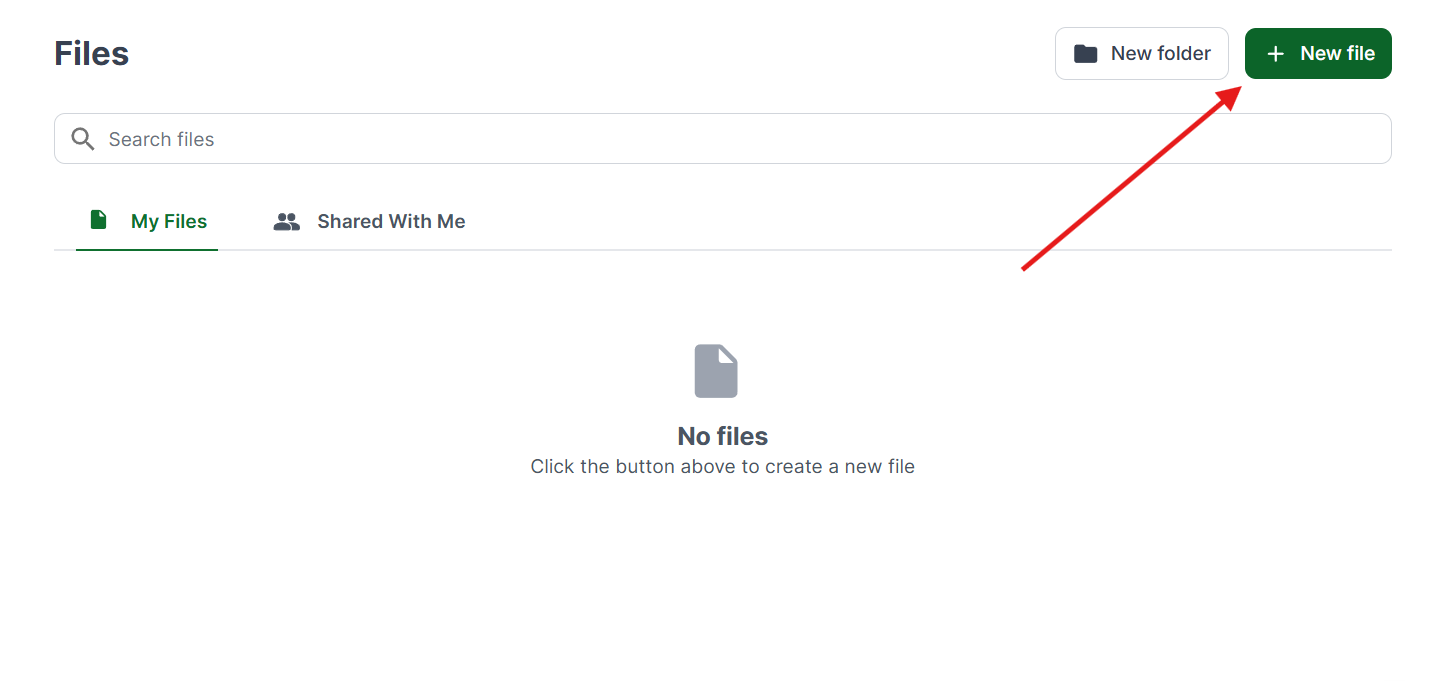
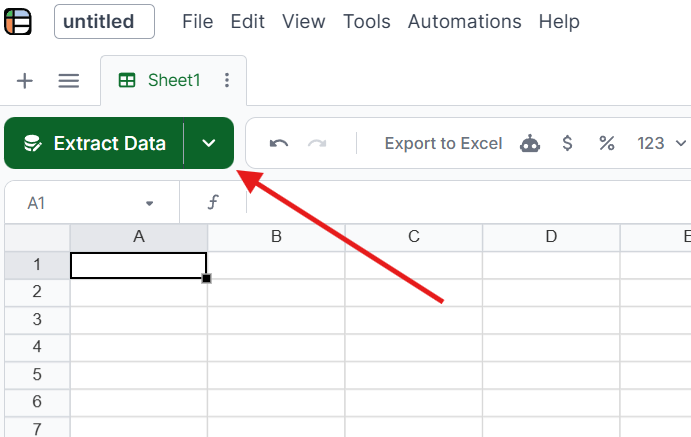
Select the Extract Data button at the top of the sheet.
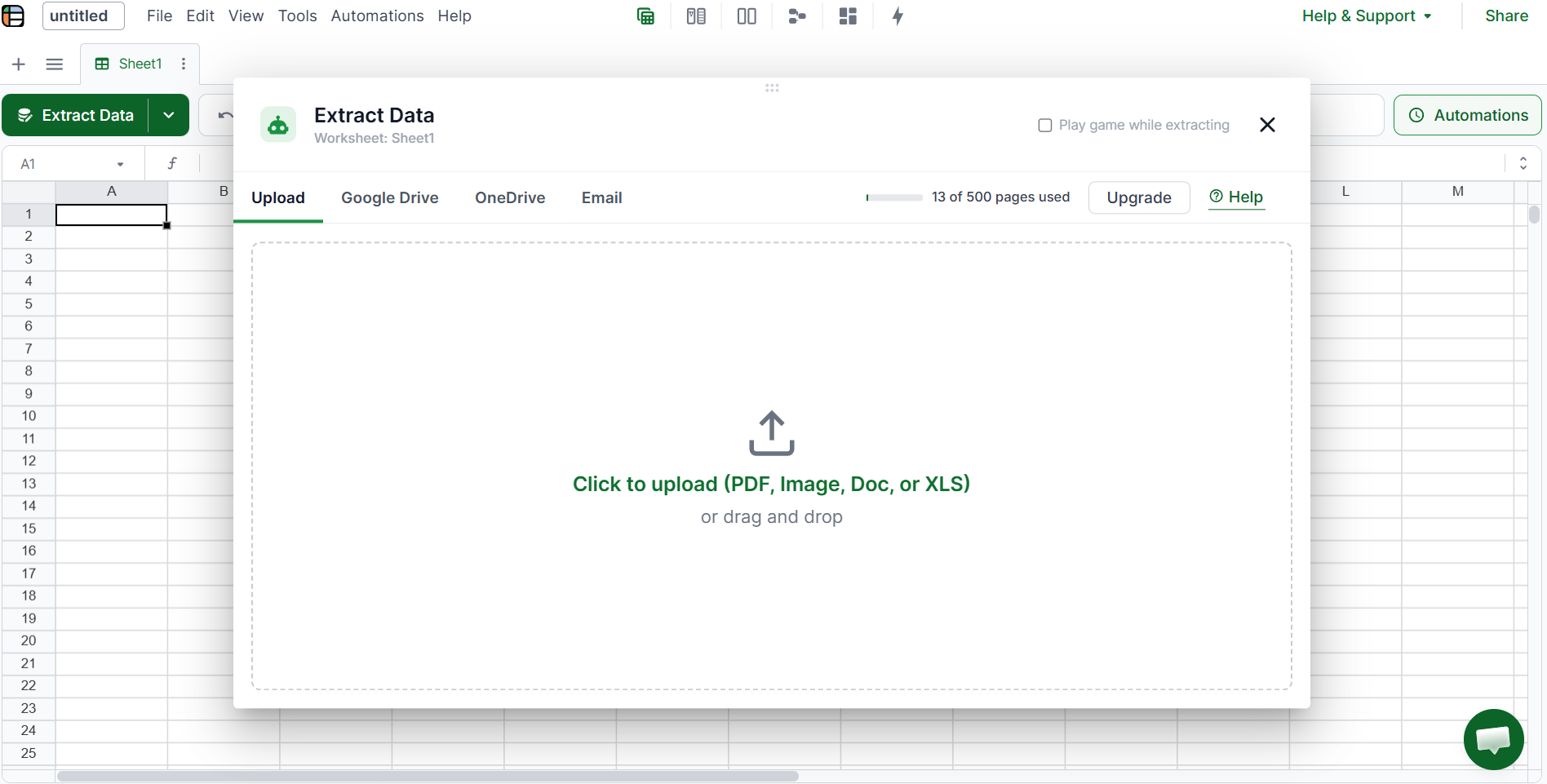
Upload your file by dragging and dropping it into Lido, or click to browse. Lido will automatically analyze the file for you.
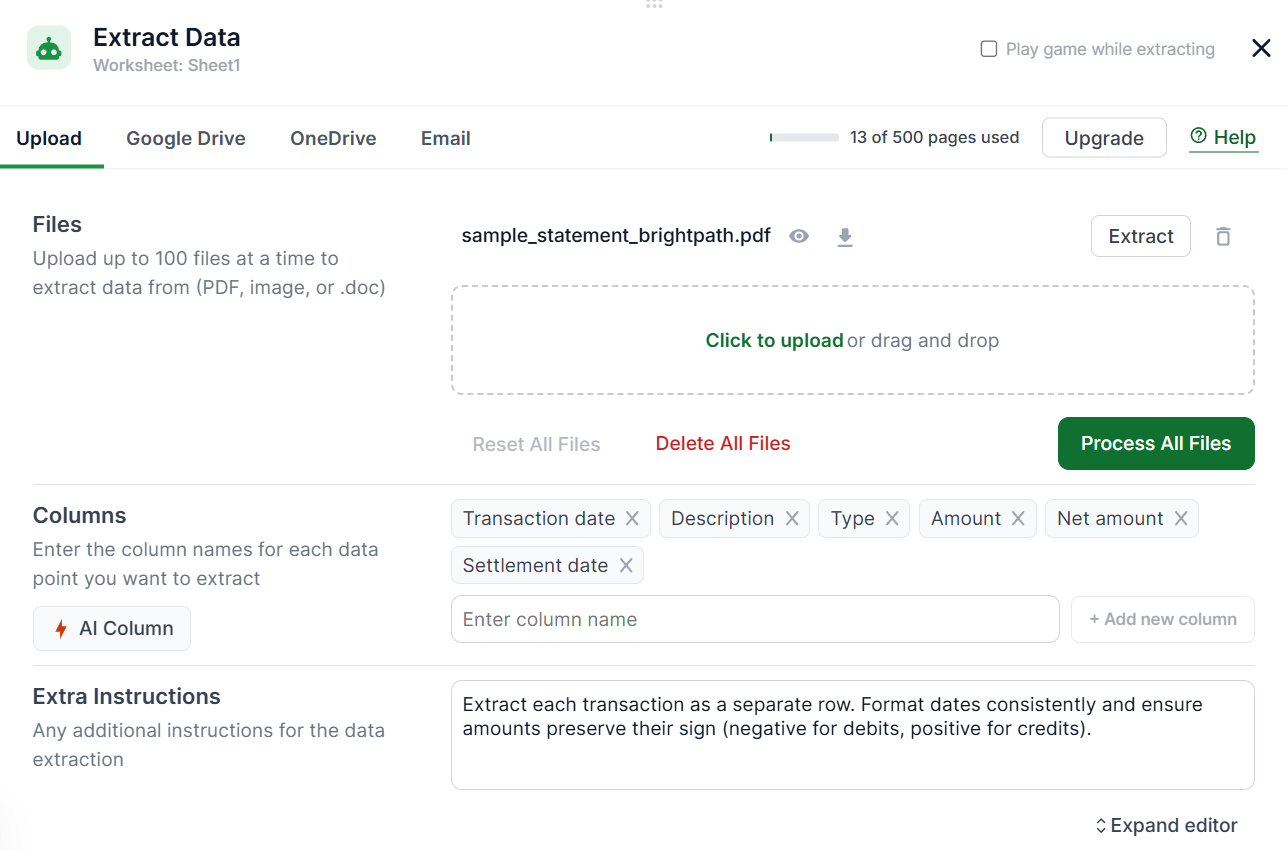
For the purpose of this tutorial, we will only be using a sample bank statement that follows the same format as a Chime bank statement.
Enter the columns you want to pull from the Transactions section of your statement, such as Transaction Date, Description, Type, and Amount. You can also add any extra instructions if you'd like (this is optional), such as extracting only deposits or including the beginning and ending balances from the Summary section.
Once done, click Process All Files.
Review the extracted data to make sure everything looks correct. From here, you can edit and format the data however you want. Adjust column widths, fix formatting, or reorganize the data to suit your workflow.
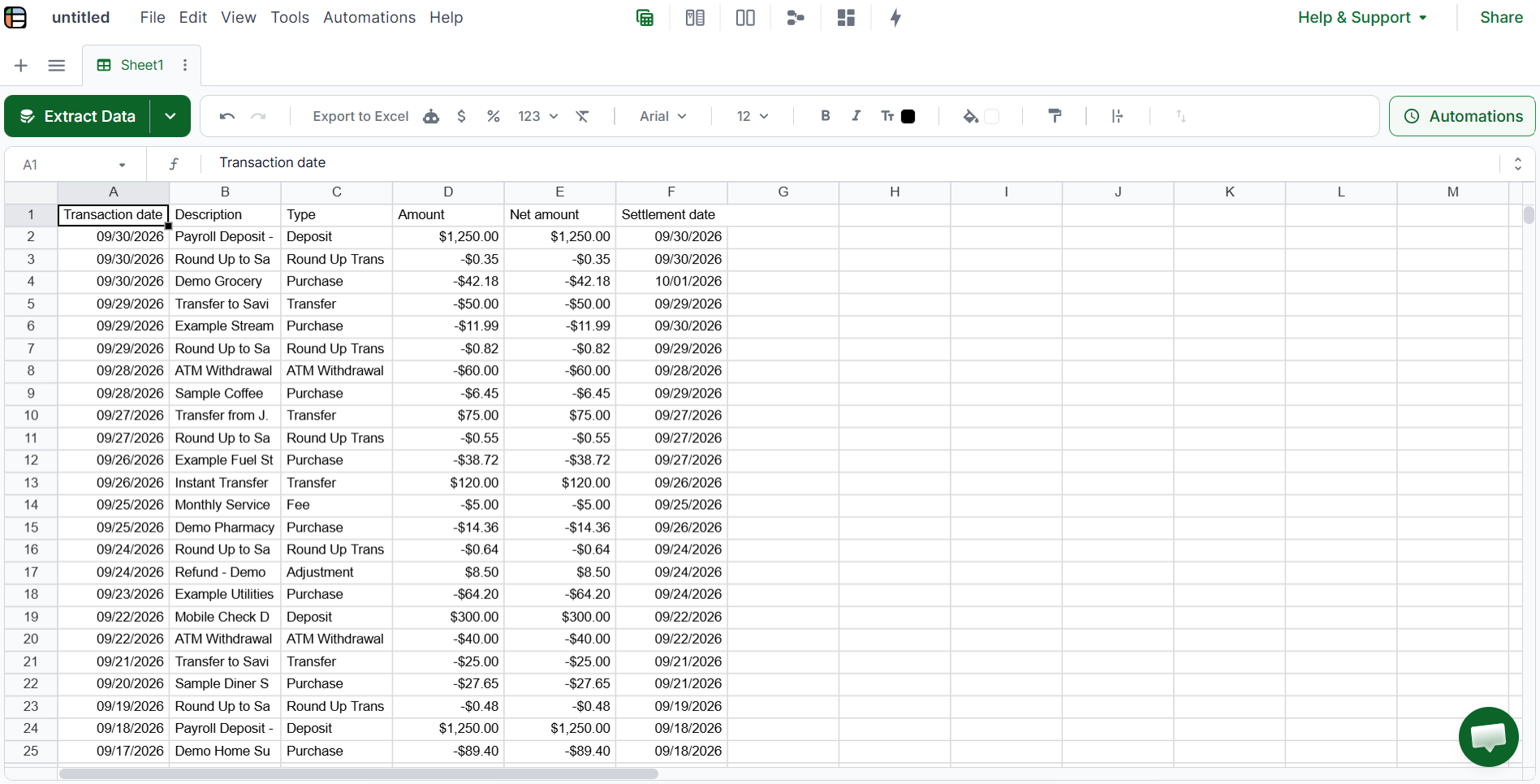
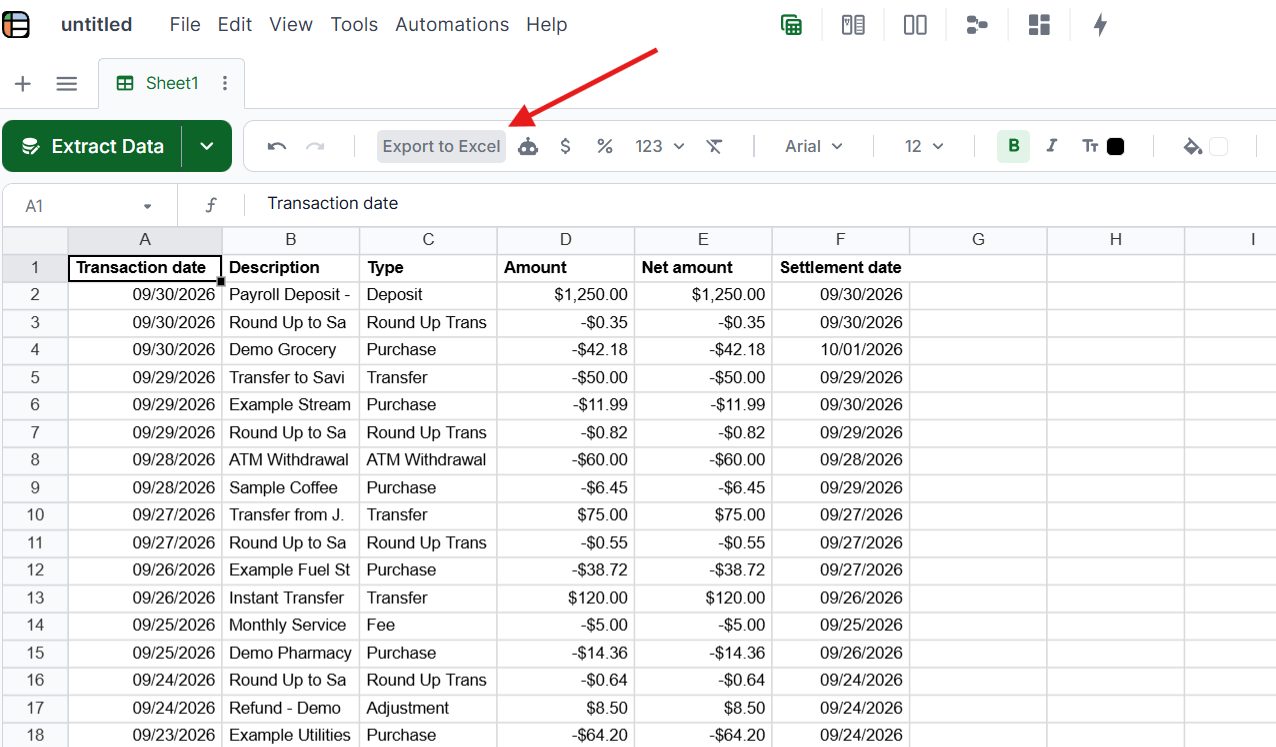
Once you're done, click Export to Excel to download your Chime bank statement data as a spreadsheet file.
Lido handles Chime PDF statements downloaded from the Chime app or chime.com.
Format notes: Chime statements have a clean, modern digital-first layout that converts well. The main challenge is that Chime doesn't offer branch-generated paper statements, so all statements are digital PDFs. Some users screenshot their transaction history from the app rather than downloading the official PDF statement, which requires OCR.
Lido's AI handles these format variations automatically. Unlike template-based converters that break when layouts change, Lido reads the document contextually, so it adapts to Chime's specific formatting without manual configuration.
Copy-paste from online banking: Chime's website lets you view transactions online, but copying and pasting into Excel produces messy formatting that requires significant cleanup. This works for a handful of transactions but breaks down at volume.
CSV download from Chime: Some Chime accounts let you download transactions as CSV directly from online banking. This works for recent transactions but doesn't cover older statements, scanned paper statements, or statements received from clients.
Manual data entry: Typing transactions into Excel. At roughly 45-60 minutes per 30-page statement with a 2-4% error rate, this is the option Lido replaces.
For the full landscape of bank statement tools, see best bank statement OCR software and how to automate bank statement reconciliation.
Upload your Chime PDF statement to Lido at lido.app. Lido's AI extracts transaction dates, descriptions, amounts, and balances automatically with 99.9% accuracy, then outputs clean Excel, CSV, or Google Sheets data. No templates or manual setup required. 50 free pages to test.
Yes. Lido includes built-in OCR that handles scanned and photographed Chime statements with 99.9% accuracy. Upload the scan or photo, and Lido extracts the same structured data as from a digital PDF.
Some Chime accounts allow CSV transaction downloads from online banking for recent periods. However, this doesn't cover older statements, scanned paper statements, or statements received from clients. For those, an AI converter like Lido extracts the data from the PDF directly.
Lido achieves 99.9% accuracy on Chime statements, including both digital PDFs and scanned paper statements. It handles Chime's specific formatting quirks automatically without per-bank template configuration.
%20(1).svg)
.png)
