<- View all workflow automations

Classify and route shipping documents automatically

Shipping packets arrive as mixed PDFs. Lido identifies each document and sends it where it needs to go.

  • Every logistics document. Bills of lading, packing lists, commercial invoices, customs forms — classified automatically.
  • Route by type or shipment. BOLs go to operations, commercial invoices to customs, packing lists to the warehouse.
  • Process on arrival. Connect an inbox or shared folder. Documents are classified and routed as they land.
Trusted by thousands of finance and operations teams

How shipping document classification works in Lido

Freight forwarders and logistics teams receive document packets with mixed page types. Lido reads every page, identifies the document type, and routes it to the right person or system.

1. Packets arrive

Shipping document packets land in email or a shared drive as combined PDFs — 10, 20, 50 pages of mixed document types.

2. Lido splits and classifies

Each page is read and identified: bill of lading, packing list, commercial invoice, certificate of origin, or customs declaration.

3. Documents route automatically

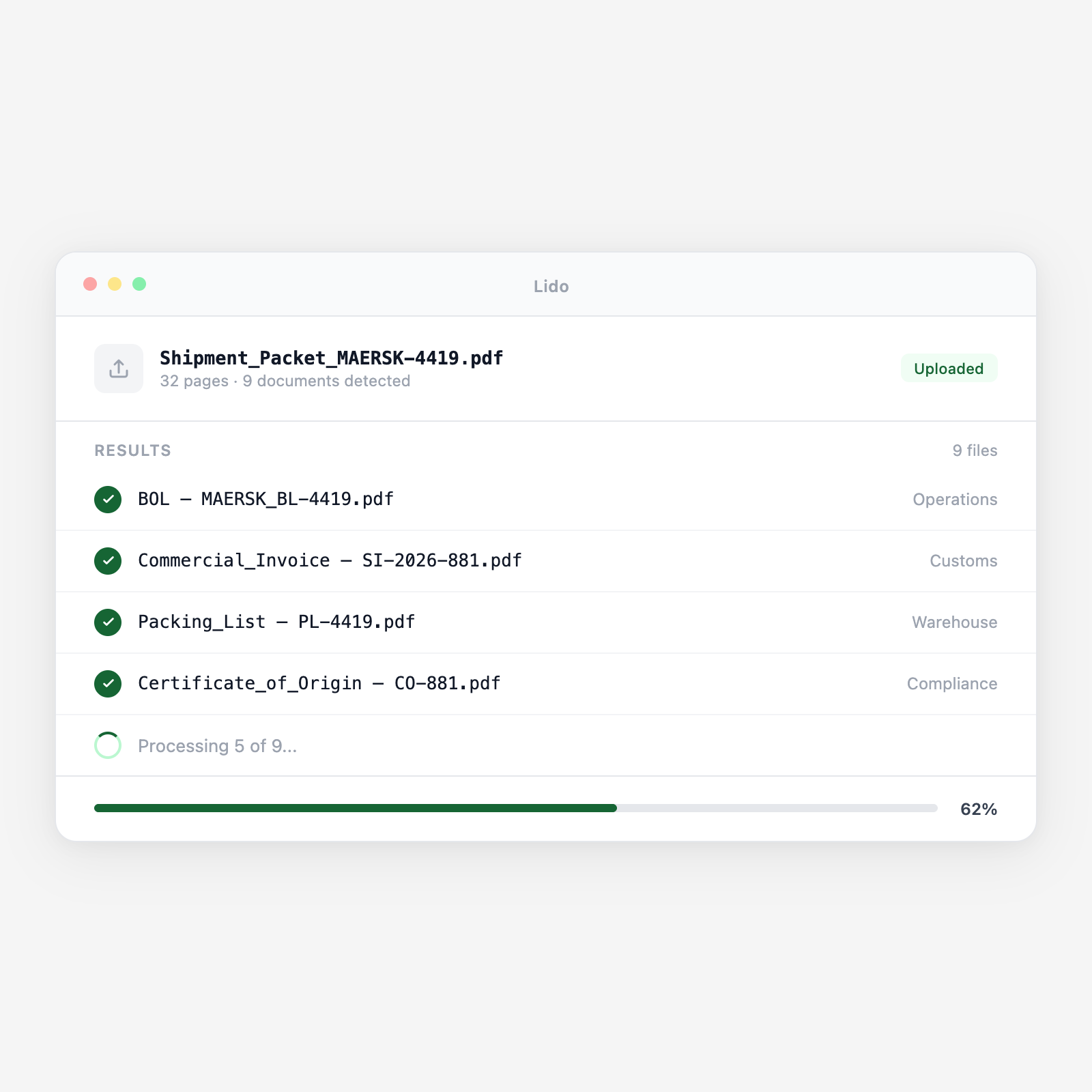
BOLs go to operations. Commercial invoices go to the customs broker. Packing lists go to the warehouse team. Each document arrives where it is needed.

4. Data is ready for extraction

Classified documents can flow directly into Lido extraction workflows — pull shipment details, line items, or HS codes without opening a single file.

What changes for your logistics team with Lido

The manual sorting problem

A shipment arrives with a 30-page packet. Someone opens it, scrolls through, figures out which pages are the BOL, which are the packing list, which are the commercial invoice. They save each section separately. Multiply by 50 shipments a day.

The Lido approach

Every packet is split, classified, and routed automatically. Your team works with organized, labeled documents instead of scrolling through PDFs. Processing time drops from hours to minutes.

Shipping document types Lido classifies

Bills of lading

Ocean BOLs, air waybills, truck BOLs — identified regardless of carrier format.

Packing lists

Item-level packing details with quantities, weights, and dimensions.

Commercial invoices

Seller-to-buyer invoices with item descriptions, values, and trade terms.

Certificates of origin

Country-of-origin declarations for customs compliance.

Logistics automation

Every document from every shipment, sorted and delivered in seconds.

Upload a shipping packet. See each document classified and routed automatically.

Common use cases

Freight forwarding

Inbound shipment document processing

Forwarders receive mixed document packets from carriers and shippers. Lido splits and classifies each page so the right team has the right document immediately.

Customs brokerage

Pre-clearance document preparation

Commercial invoices and certificates of origin are classified and extracted so customs declarations can be prepared without manual document hunting.

Warehousing

Receiving document organization

Packing lists and BOLs are separated and routed to receiving teams so inventory can be verified against shipment documents on arrival.

3PL operations

Multi-client document sorting

Documents from different clients and shipments are classified and routed to the correct client folder or workflow automatically.

Zero manual sorting

Every shipment documented, every document in the right hands.

Try Lido free. Upload a shipping packet and see it sorted in minutes.

Stop sorting shipping documents by hand

Try Lido free. Upload a shipping packet and see every document classified and routed in minutes.